UI (user interface) is what users see and interact with — buttons, typography, colors, icons. UX (user experience) is how the whole product feels to use — flows, information architecture, ease of completing tasks. UI is a subset of UX: every UI decision shapes the experience, but UX also includes research, strategy, content, and feedback loops that happen long before any pixel is placed. In 2026, the two roles often overlap but require distinct skills, deliverables, and mindsets.
What Is UI Design?
UI design is the craft of designing the visual and interactive surface of a digital product. It covers what appears on screen and how users physically interact with it: layout, typography, color, iconography, button states, animations, and all the small visual cues that make an interface feel coherent.
UI designers work primarily in tools like Figma, Sketch, and Framer. Their output includes mockups, component libraries, design tokens, and motion specifications. Strong UI design follows established principles of visual hierarchy, contrast, alignment, and consistency.
Core UI Disciplines
- Typography — selecting typefaces, defining scale, line height, tracking, and pairing.
- Color theory — palettes, contrast ratios, semantic colors (success, error, warning).
- Layout and spacing — grid systems, white space, alignment, proportions.
- Iconography — coherent visual symbols that scale across the product.
- Component design — buttons, forms, cards, modals, and their states.
- Motion and microinteractions — transitions, hover effects, loading states.
What Is UX Design?
UX design is the practice of shaping how a product feels to use across the entire user journey. UX work begins before any visual design exists: researching users, mapping their goals, identifying frustrations, and defining the information architecture that makes the product navigable.
UX designers spend significant time outside design tools — running user interviews, conducting usability tests, analyzing analytics, and writing strategy documents. The visual output is often wireframes, user flow diagrams, journey maps, and personas rather than polished mockups.
Core UX Disciplines
- User research — interviews, surveys, observational studies, analytics review.
- Information architecture — how content is organized, labeled, and connected.
- User flow design — the path from entry to goal across screens.
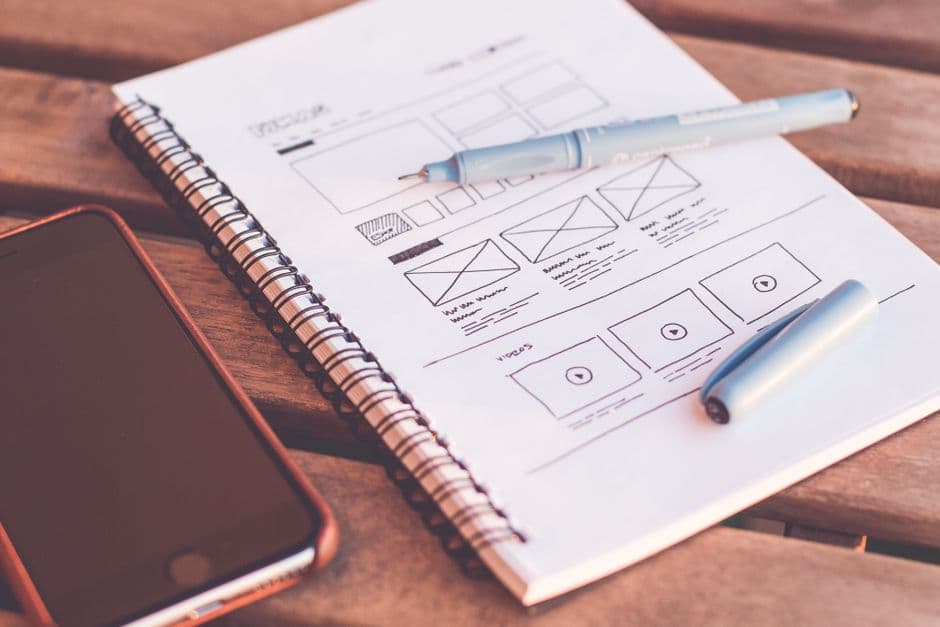
- Wireframing — low-fidelity layouts focused on structure, not visuals.
- Usability testing — watching real users complete real tasks.
- Journey mapping — the emotional and behavioral arc of using the product.
- Information design — making complex information understandable.
UI vs UX: The Key Differences
The clearest way to separate UI and UX is by output, scope, and timing.
Output
UI produces: mockups, prototypes, component libraries, design systems, motion specs, and final visual designs. UX produces: research reports, personas, journey maps, user flows, wireframes, information architecture documents, and usability test reports.
Scope
UI focuses on the surface: what users see and touch on a single screen or component. UX focuses on the system: how users move through the entire product, why they do it, and whether they accomplish their goals.
Timing
UX work typically comes first. You research users, map flows, and structure information before you decide what colors to use or which buttons to design. UI then turns those approved structures into polished, branded interfaces.
Tools
UI tools: Figma, Sketch, Framer, Adobe XD, Lottie for motion. UX tools: Miro and FigJam for collaboration, Maze and Lookback for testing, Hotjar and Microsoft Clarity for behavior analytics, Notion and Dovetail for research repositories.
Skills
UI requires strong visual judgment, typographic skill, color theory knowledge, and motion sensibility. UX requires empathy, research methodology, systems thinking, and the ability to translate qualitative findings into actionable design decisions.
How UI and UX Work Together
UI and UX are inseparable in execution. A product with brilliant UX research but mediocre UI feels unpolished. A product with stunning UI but no underlying UX strategy looks great in screenshots and fails in real use. The best products treat them as two perspectives on the same craft.
A Typical Workflow
- Research (UX) — interviews, surveys, analytics review, competitive analysis.
- Synthesis (UX) — personas, journey maps, opportunity statements.
- Information architecture (UX) — sitemap, content model, navigation.
- User flows and wireframes (UX) — low-fidelity structural decisions.
- Visual design (UI) — typography, color, brand application.
- Mockups (UI) — high-fidelity static designs.
- Prototype (UI + UX) — interactive simulation for testing.
- Usability testing (UX) — observing real users complete tasks.
- Iteration (UI + UX) — refining based on findings.
- Design system (UI) — codifying components for engineering.
- Handoff (UI + UX) — specifications, design tokens, interaction docs.
Common Misconceptions
“UX Is Just User Research”
Research is one tool UX designers use, not the discipline itself. UX includes information architecture, flow design, content strategy, and interaction design — all of which require synthesis and design thinking, not just data gathering.
“UI Is Just Making Things Pretty”
UI design is functional, not decorative. Every visual decision affects scannability, comprehension, and conversion. A button color is a usability decision, not a style preference. Read more in our UI design trends for 2026.
“UX and UI Are the Same Job”
At small companies, one designer often handles both. At larger organizations, the disciplines split because the skill sets diverge. A senior UX researcher and a senior UI designer share design literacy but operate on different problems daily.
“UX Is More Important Than UI” (or Vice Versa)
This is a false hierarchy. A product needs both. The right question is which discipline is the current bottleneck — and that varies by stage. Early-stage products often need UX work to nail the flow. Mature products often need UI polish to differentiate from competitors.
UI Designer Job Description
Typical responsibilities and deliverables for a UI designer in 2026:
- Design high-fidelity mockups in Figma or Framer
- Maintain a design system with reusable components
- Specify typography, color, spacing, and motion
- Create iconography and visual assets
- Define hover, active, disabled, and error states
- Collaborate with developers on visual implementation
- Run visual QA against staged builds
Required Skills
Mastery of Figma or equivalent design tools, deep typography knowledge, color theory, accessibility (WCAG contrast), grid systems, and motion principles. Bonus skills: CSS/HTML literacy, animation tools like Lottie or GSAP, and design token systems.
UX Designer Job Description
Typical responsibilities and deliverables for a UX designer in 2026:
- Run user interviews and synthesize findings
- Create personas, journey maps, and user flows
- Design wireframes and information architecture
- Define interaction patterns and content hierarchy
- Conduct usability tests and report findings
- Partner with product managers on roadmap priorities
- Analyze behavior data from analytics platforms
Required Skills
Strong research methodology, systems thinking, written communication, facilitation, and a working knowledge of behavior analytics. Bonus skills: data analysis, content strategy, and accessibility expertise.
Salary and Career Path
Salaries vary by region and seniority. In North America in 2026, junior UI designers earn roughly $65,000-$90,000. Senior UI designers earn $110,000-$160,000. Junior UX designers earn $70,000-$95,000. Senior UX designers earn $115,000-$175,000. Specialized roles like UX research and design systems engineering often pay 10-20% above standard ranges.
Career paths typically progress from junior to mid to senior to staff or principal. Some designers branch into product design (a hybrid role), design management, or specialized tracks like UX research, content design, or design ops.
Hiring UI and UX Talent
For a small team, hire a generalist product designer who covers both disciplines competently. For larger teams or specialized products, hire each role for its specific strengths: a UI designer to maintain visual quality and the design system, a UX designer or researcher to keep the product anchored in real user needs.
Portfolios reveal everything. UI portfolios should show visual range, motion, and component thinking. UX portfolios should show research methodology, decision-making rationale, and the connection between findings and design choices. Beware of portfolios that show only finished screens with no thinking documented.
UI and UX in the Context of Web Design
For most marketing websites and small business sites, a single designer handles both disciplines. UX work involves planning page structure, defining user flows from landing to conversion, and writing content. UI work involves applying brand visuals, designing the components, and producing the final mockups. Our UX design for websites guide covers the website-specific application of UX principles in detail.
Frequently Asked Questions
Which is harder, UI or UX?
Neither is harder — they require different skills. UI demands visual discipline, type and color sensibility, and pixel-level care. UX demands research rigor, empathy, and systems thinking. Most designers find one more natural and grow into the other over time.
Can a UI designer become a UX designer?
Yes, and many do. The transition usually involves learning research methodology, getting comfortable with qualitative analysis, and shifting from “What does this look like?” to “Why does this exist and for whom?” The reverse — UX to UI — is also common and often requires deepening visual craft.
Do you need a degree to work in UI or UX?
No. Most hiring decisions in 2026 are based on portfolio quality, not credentials. Strong self-taught designers regularly out-compete graduates from formal programs. Bootcamps, online courses, and certificates can shortcut the learning curve, but the portfolio is what gets the job.
What’s the difference between UI/UX and product design?
Product design typically combines UI and UX skills with strategic product thinking — understanding business goals, prioritizing features, and shaping the product roadmap alongside engineers and product managers. A product designer is often a UI/UX generalist who also operates at the strategic level.
Want a website that nails both UI and UX from day one? Check our pricing or contact us to start.