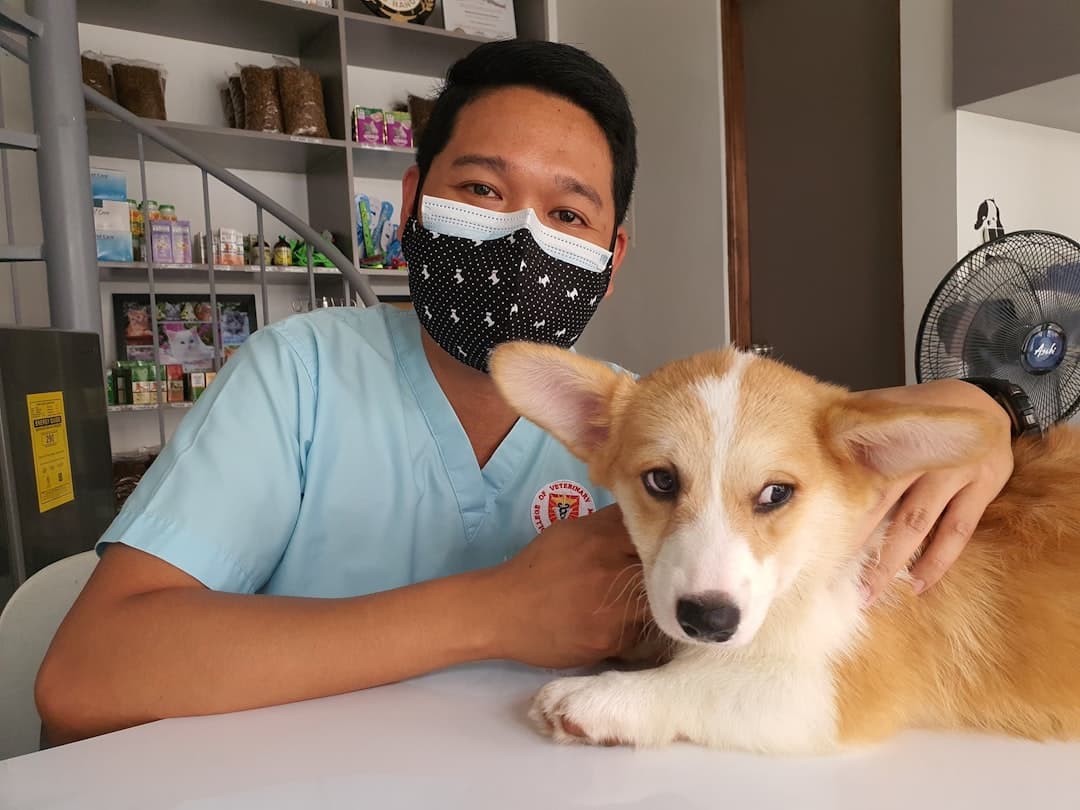
Veterinary website design is the practice of building a clinic site that turns local pet owners into booked appointments. A strong veterinary website loads in under two seconds, makes online booking and phone calls one tap away, lists every service and species you treat, and earns trust through team bios, real reviews, and clear emergency information.
Most veterinary practices lose new clients before the first phone call ever happens. A pet owner searching for “vet near me” at 9pm with a sick dog will pick the clinic whose website answers their questions fastest. Slow pages, hidden hours, and buried contact details push that owner to the next result.
This guide covers what a veterinary website needs to do, the pages and sections that drive bookings, and why building in Framer gives small and multi-location practices a faster path to a site that ranks and converts. Framer Websites builds every client site exclusively in Framer, so the recommendations here come from sites we have shipped and measured.
Key takeaways
- The fastest, clearest clinic site wins the new client, so booking, phone, hours, and location must be visible within the first screen.
- Veterinary sites need service pages by animal type, a transparent emergency and pricing section, and proof through team bios and reviews.
- Local SEO and LocalBusiness schema decide whether you show up in the map pack for “vet near me” searches.
- Framer gives clinics fast load times, easy CMS-driven service pages, and design control without a developer on retainer.
- Online booking integration removes the single biggest friction point between a worried pet owner and your front desk.
What a Veterinary Website Has to Accomplish
A clinic website has three jobs: get found, build trust, and convert the visit into a booking or call. Pet owners arrive anxious and time-pressed, so every design decision should reduce the steps between “I need a vet” and “I have an appointment.”
The numbers back this up. Google research shows that as page load time goes from one second to three seconds, the probability of a bounce increases by 32 percent. For a clinic spending money on local ads or competing for “veterinarian near me,” a slow site quietly wastes that traffic.
Get found
Most veterinary discovery happens through local search and Google Maps. Your site needs accurate name, address, and phone details, fast mobile performance, and LocalBusiness structured data so search engines understand your hours, services, and location.
Build trust
Pet owners hand over a family member. They want to see the veterinarians, the technicians, the facility, and what other clients say. Faces, credentials, and genuine reviews do more for conversion than any stock photo of a golden retriever.
Convert
A persistent “Book an Appointment” button, a click-to-call phone number on mobile, and a short request form turn intent into action. The goal is to never make a stressed owner hunt for how to reach you.
The Pages and Sections Every Veterinary Site Needs
A clinic site does not need dozens of pages. It needs the right ones, structured so search engines and pet owners both find what they expect.
| Page or section | Purpose | What it must contain |
|---|---|---|
| Home | Orient and route | Booking button, phone, hours, location, top services |
| Services | Capture specific searches | Wellness, surgery, dental, diagnostics, each with its own detail |
| Species pages | Match how owners search | Dogs, cats, exotics, and any specialty animals you treat |
| Team | Build trust | Veterinarian bios, photos, credentials, special interests |
| About and facility | Reduce anxiety | Clinic photos, equipment, accreditations, history |
| Emergency | Serve urgent visitors | After-hours instructions, nearest ER, what counts as urgent |
| Reviews | Social proof | Real testimonials, star ratings, link to Google profile |
| Contact and booking | Convert | Map, form, phone, online scheduler, parking notes |
Service pages do the SEO heavy lifting
A single “Services” page that lists everything in bullets will not rank for “dog teeth cleaning” or “cat vaccinations near me.” Each major service deserves its own page with a clear explanation, what to expect, and a booking call to action. This is where a CMS-driven structure pays off, since you can publish new service pages without rebuilding the site each time.
Species and specialty pages
Owners search by their animal. A practice that treats exotics, for example, should have a dedicated page for reptiles, birds, and small mammals, because that owner is actively looking for a clinic that handles their species. These pages capture intent that a general site misses.
Designing for the Anxious Pet Owner
Veterinary visitors are rarely browsing for fun. They are worried, often on a phone, and want reassurance fast. Design should lower their stress, not add to it.
Mobile first, always
The majority of “vet near me” searches happen on phones. Tap targets need to be large, the phone number should trigger a call with one tap, and the booking button should follow the user as they scroll. Test every page on an actual phone before launch.
Warm, real photography
Photos of your actual team, your actual exam rooms, and real patients build more trust than polished stock imagery. Owners are deciding whether to trust you with their pet, and authenticity reads clearly.
Clear emergency guidance
An owner in a panic at 11pm needs to know immediately whether you handle emergencies, your after-hours protocol, and the nearest 24-hour facility if you do not. Putting this front and center is both good service and good design.
Local SEO and Getting Found
For a clinic, local search visibility is the difference between a full schedule and empty exam rooms. Three things drive it: an optimized Google Business Profile, consistent local citations, and on-site structured data.
- Claim and complete your Google Business Profile with accurate hours, services, photos, and categories.
- Keep your name, address, and phone identical across your site and every directory listing.
- Add LocalBusiness and VeterinaryCare schema so search engines parse your details cleanly.
- Build location-specific pages if you operate multiple clinics, each with its own address and map.
- Collect and display reviews, then keep your Google profile active with regular posts and photos.
The same local-intent principles that govern any service business apply here. The patterns we use to structure conversion-focused service sites carry directly into veterinary work, which is why our guidance on building a lead generation website shares the same backbone of clear paths to contact and fast performance.
Why Build a Veterinary Site in Framer
Framer is a visual website builder that publishes fast, production-grade sites without requiring a separate developer for routine updates. For veterinary practices, three Framer strengths matter most.
Speed out of the box
Framer sites are statically generated and served from a global content delivery network, so they load quickly on mobile networks. Strong Core Web Vitals scores help both the anxious owner and your local search ranking.
CMS for service and team pages
Framer’s built-in CMS lets you manage service pages, team bios, and locations as structured collections. Add a new veterinarian or a new service, and the page generates with consistent design. To put a finished site live, the steps are straightforward, and our walkthrough on how to publish on Framer covers the publishing flow end to end.
Design control without code
You can match your clinic’s brand exactly, animate gently, and adjust layouts visually. This is the same design freedom we lean on for content-heavy B2B sites, and the structural lessons from our B2B SaaS website design work translate well to multi-page service practices.
Booking Integration and Conversion Tools
The single highest-leverage feature on a veterinary site is frictionless booking. Owners want to schedule without a phone call, especially after hours.
Online scheduling
Embed your practice management or scheduling tool directly so owners can request or book appointments on the page. If real-time booking is not available through your system, a short request form with name, pet, reason, and preferred time still captures the lead.
Click-to-call and persistent CTAs
On mobile, the phone number should be a tappable link. A booking button that stays visible as the owner scrolls keeps the next step always one tap away. These small details compound into measurably more booked visits.
Common Mistakes Veterinary Sites Make
Many clinic sites quietly lose new clients for reasons that are easy to correct.
Hidden hours and contact details
An owner with a sick pet should see your hours, phone, and location within seconds. When these are buried, the owner moves to the next clinic. Put the essentials in the first screen and in the footer of every page.
One catch-all services page
Listing every service in a single bulleted page means you rank for none of them. Owners search for specific needs like dental cleaning or vaccinations, so each major service deserves its own page targeting that search.
Slow, image-heavy pages
Unoptimized photos drag load times past the point where anxious mobile visitors wait. Fast, properly sized images keep the page responsive and protect your local ranking.
No clear emergency path
A clinic that does not make its emergency policy obvious frustrates owners at the worst moment. State plainly whether you handle emergencies and where to go if you do not.
Measuring What Works
Once the site is live, track the actions that matter: booking button clicks, form submissions, and phone calls. Connect Google Analytics and watch Core Web Vitals in PageSpeed so you know your pages stay fast as you add content. If a service page draws traffic but no bookings, the page needs a clearer call to action or a faster path to scheduling.
Frequently Asked Questions
How much does a veterinary website cost?
A custom veterinary website typically ranges from a few thousand dollars for a focused single-location site to more for multi-location practices with booking integrations and many service pages. Building in Framer often lowers ongoing costs because the practice can update team bios, hours, and services without paying a developer for every change. You can see clear options on the Framer Websites pricing page.
What pages does a veterinary website need?
At minimum: a home page with booking and contact details, individual service pages, species pages for the animals you treat, a team page with veterinarian bios, an emergency information section, a reviews section, and a contact page with a map and online scheduling. Service pages should each target a specific search like dental care or vaccinations.
How do I get my veterinary clinic to show up on Google Maps?
Claim and fully complete your Google Business Profile, keep your name, address, and phone consistent everywhere online, add LocalBusiness schema to your site, collect genuine reviews, and keep your profile active with photos and posts. A fast, mobile-friendly site reinforces these signals and helps you appear in the local map pack.
Is Framer good for a veterinary website?
Yes. Framer produces fast, mobile-optimized sites with a built-in CMS for managing service and team pages, strong Core Web Vitals for local SEO, and full design control without code. For a clinic that wants a professional site it can maintain in house, Framer is a strong fit.
Framer Websites builds clinic sites that load fast, rank locally, and turn worried pet owners into booked appointments. If you are ready to give your practice a website that fills the schedule, get in touch with Framer Websites and we will map out the right structure for your clinic.