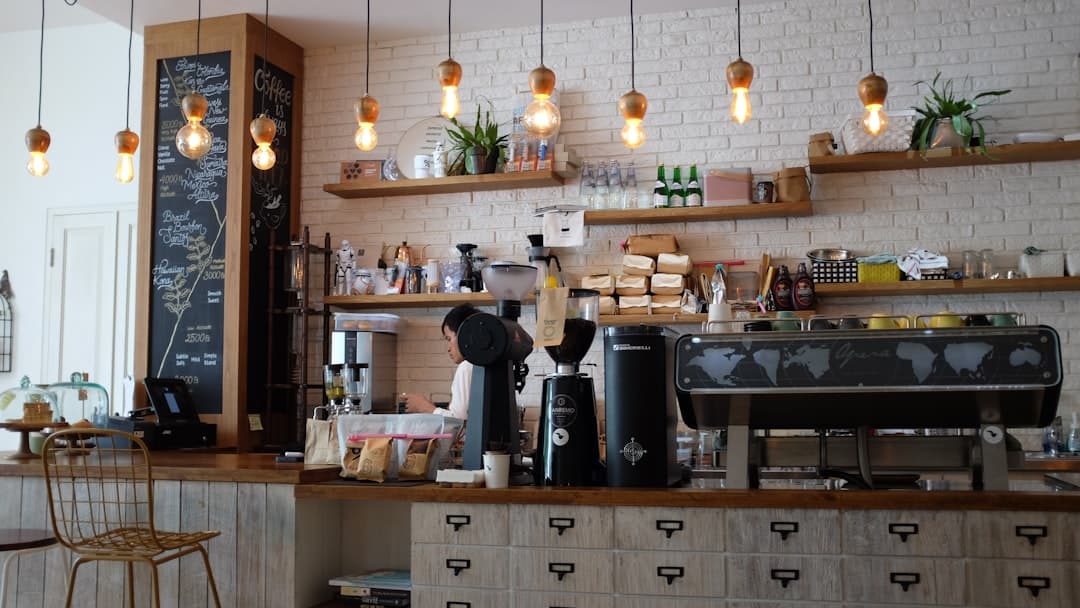
Coffee shop website design is the practice of building a fast, mobile-first site that shows your menu, hours, location, and atmosphere so nearby people decide to visit. The strongest cafe sites lead with a clear address, current hours, and appetizing photography, then make ordering or directions one tap away on a phone.
Key Takeaways
- Most cafe visitors arrive on a phone looking for hours, location, and a menu, so those three things must appear above the fold.
- Atmosphere sells coffee. High-quality interior and drink photography does more for conversion than long paragraphs of copy.
- A coffee shop website design should load in under two seconds, because hungry, caffeine-seeking visitors leave slow pages fast.
- Framer lets a small cafe ship a polished, animated, SEO-ready site without a developer or a heavy content management system.
- Local SEO basics, structured data, and a Google Business Profile link turn the site into a discovery engine, not just a digital business card.
Why Your Coffee Shop Needs More Than a Social Media Page
Plenty of cafe owners lean on Instagram and a Google listing and skip a real website. That works until someone searches “coffee near me open now” at 7am and your social feed does not answer the question. A website is the one place you control completely. It ranks in search, it loads even when an app is down, and it presents your hours and menu in a structured way that both people and search engines understand.
A website also signals permanence. A customer choosing between two cafes will trust the one with a clean, current site over the one with a half-filled directory page. The same trust gap shows up in other industries, which is why the principles in our B2B website design guide about clarity and credibility apply just as much to a neighborhood espresso bar as they do to a software company.
The Pages Every Coffee Shop Website Needs
You do not need fifty pages. A focused cafe site usually runs four to six pages, each with a single job.
Home
The home page carries the most weight. Within the first screen a visitor should see your name, a strong photo of the space or a signature drink, your current hours, and your neighborhood. Add one primary button, usually “Get Directions” or “View Menu”. Keep the hero text short. A line like “Slow-roasted coffee in the heart of the old market district” does more than a paragraph of brand story.
Menu
The menu page should be readable on a phone without pinching and zooming. Group items into clear sections such as espresso, brewed, cold, and food. List prices. If your menu changes seasonally, build it so you can edit it in minutes. Avoid uploading a PDF as your only menu. PDFs are slow, they are hard to read on mobile, and search engines struggle to index the text inside them.
About
People love the story behind their coffee. Use the about page to introduce the owner, your roaster, your sourcing values, and what makes the room feel like yours. Keep it warm and specific. One honest paragraph about why you opened beats three paragraphs of generic mission language.
Location and Hours
Whether this lives on its own page or in the footer, your address, an embedded map, parking notes, and hours must be effortless to find. Many cafes also add holiday hours here so they do not get a one-star review from someone who showed up on a closed Monday.
Optional: Events, Catering, or Online Ordering
If you host live music, sell beans, or offer catering, give each its own page or section. These pages capture searches your competitors ignore, like “coffee catering downtown” or “buy fresh roasted beans local”.
Visual Design Patterns That Work for Cafes
Coffee is a sensory product, so the design has to feel like the drink. A few patterns consistently perform.
- Lead with photography. A full-width hero image of the interior or a latte being poured sets the mood instantly. Shoot in natural light and keep the editing consistent across the site.
- Warm, restrained color. Cream, espresso brown, terracotta, and soft greens read as cozy and premium. Resist the urge to use five accent colors.
- Generous spacing. Cramped layouts feel like a chain. White space and a single strong typeface feel like a craft cafe.
- Subtle motion. A gentle fade as images scroll into view adds polish without slowing the page. Framer makes these effects native, so you do not bolt on a plugin.
Choosing visuals should always follow the content, never the other way around. Decide what each section needs to communicate, then pick the photo or animation that delivers it. That content-first habit keeps the site feeling intentional instead of decorated.
Building a Coffee Shop Website in Framer
Framer is well suited to cafe sites because it combines design freedom with built-in hosting, responsive layouts, and fast performance. You design visually on a canvas, and Framer outputs a clean, optimized site with no separate developer step.
Start With a Layout, Not a Blank Page
Begin from a template or a simple wireframe so you are arranging real sections instead of staring at emptiness. Map the home page first, then duplicate styles across the menu and about pages so the whole site feels unified.
Use Components for Repeating Elements
Menu items, hours rows, and testimonial cards repeat. Build each one as a Framer component so a single edit updates every instance. This is the difference between a site you dread updating and one you change in two minutes before the morning rush.
Design Mobile First
Most cafe traffic is mobile. Design the phone breakpoint first, confirm the menu and hours are thumb-friendly, then expand to tablet and desktop. Framer lets you adjust each breakpoint independently so nothing breaks on a small screen.
If you want a repeatable way to take a cafe site from idea to launch, our website design process breaks the work into research, wireframe, design, build, and launch phases you can follow even as a first-timer.
Local SEO for Coffee Shops
A beautiful site that nobody finds does not sell coffee. Local SEO is how nearby people discover you.
- Match your name, address, and phone everywhere. The exact text on your site should match your Google Business Profile and directory listings, character for character.
- Target neighborhood keywords. Use phrases real people search, such as “espresso bar in Riverside” or “best flat white near campus”, in your headings and copy.
- Add LocalBusiness structured data. This schema tells search engines your hours, address, and price range, which can earn you a richer listing.
- Embed a real map. A Google Map on your location page helps both visitors and ranking.
- Collect and link reviews. Point visitors toward your Google reviews and feature a few of the best ones on the site.
Speed is part of SEO too. Search engines favor fast pages, and Framer sites ship optimized images and lightweight code by default, which gives a small cafe an advantage over a slow, plugin-heavy build.
Performance and Mobile Experience
Imagine someone walking down your street, phone in hand, deciding where to get coffee. If your page takes four seconds to load, they have already walked into the shop next door. Aim for a load time under two seconds. Compress images, avoid autoplaying heavy video, and keep the home page focused on the few things that matter.
Test the real experience on an actual phone, not just a desktop preview. Tap every button. Check that the menu scrolls smoothly, the map opens in a maps app, and the call button dials. These small frictions decide whether a curious passerby becomes a paying customer.
Common Coffee Shop Website Mistakes to Avoid
- Hiding the hours. If a visitor has to hunt for opening times, you have already lost trust.
- Menu as a single PDF. It is slow, unreadable on mobile, and invisible to search.
- Stock photos of someone else’s coffee. Customers can tell. Use real photos of your space and drinks.
- Autoplay music or video. It startles people and slows the page.
- Never updating. Stale hours and old events make a cafe look closed. Build the site so editing is painless.
Many of these mistakes trace back to choosing a platform that makes updates hard. The same lesson applies whether you run a cafe or a software startup, which is why our SaaS website design guide stresses picking tools that let you ship and iterate quickly rather than fighting your own website.
Turning Visits Into Loyalty
A cafe website is not only a discovery tool. It can deepen the relationship with regulars. Add an email signup for seasonal launches, link a loyalty program, or feature a “drink of the month”. These small loops bring people back without paid advertising. Keep the asks light and the value clear, and the site becomes a quiet engine for repeat business.
Ready to give your cafe a site that pulls in the morning crowd and reads beautifully on every phone? Get in touch with our team to plan a coffee shop website design built in Framer.
Frequently Asked Questions
How much should a coffee shop website cost?
A simple, professional cafe site can range from a few hundred dollars for a self-built Framer site to several thousand for a custom designed and photographed build. The bigger cost driver is usually professional photography and copywriting, since those do the most to make a small shop look premium.
Do I need a website if I already have Instagram and a Google listing?
Yes. Social profiles and directory listings are valuable, but they are rented platforms with limited control over layout, search ranking, and menu presentation. A website is the one channel you own, and it answers “are you open and where are you” far better than a social feed.
Why build a coffee shop website in Framer instead of WordPress or Wix?
Framer gives you strong design control, native responsiveness, fast performance, and built-in hosting without managing plugins or updates. For a small cafe that wants a polished site and easy edits, Framer is usually simpler to maintain than a WordPress install and more flexible than a basic Wix template.
How do I keep my hours and menu up to date?
Build repeating elements like menu items and hours as components so a single edit updates them everywhere, and keep the menu as native text rather than a PDF. Update holiday hours in advance, and review the site monthly so nothing goes stale during a busy season.