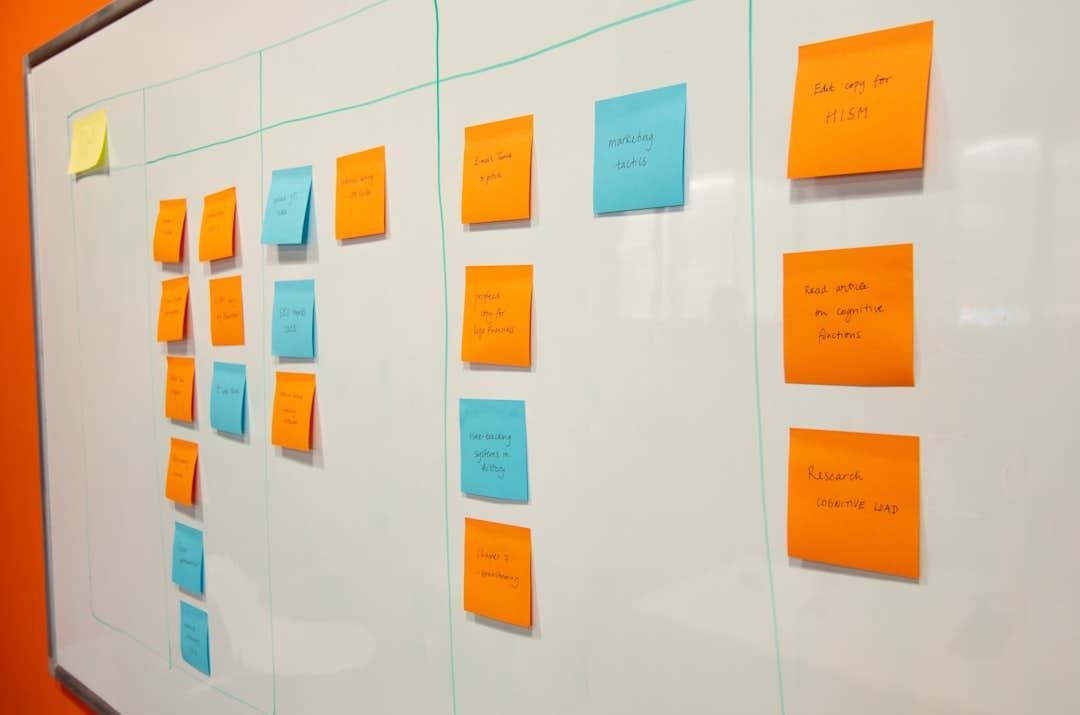
The website design process is a structured sequence of nine phases — discovery, strategy, wireframing, visual design, content creation, development, testing, launch, and post-launch optimization — that transforms a business objective into a high-performing website. Each phase builds on the last, and skipping any of them is the fastest way to end up with a site that looks good but fails to convert.
Key Takeaways
- The website design process has 9 distinct phases, each with specific deliverables and decision points. Rushing through early phases (discovery, strategy) creates expensive problems in later phases (development, launch).
- Discovery and strategy should consume 20-25% of total project time. This is where you define success metrics, map user journeys, and align stakeholders — the foundation everything else rests on.
- Wireframes before visual design. Always. Solving layout and information architecture problems in low-fidelity wireframes costs a fraction of solving them in high-fidelity mockups.
- Content drives design, not the other way around. Designing pages around placeholder text guarantees a disconnect between what the site looks like and what it actually says.
- Modern tools like Framer compress the build phase significantly — turning what used to be months of traditional development into weeks of design-driven building with production-grade output.
- Post-launch optimization is not optional. The best-performing websites treat launch as the beginning of an iterative cycle, not the finish line.
Why a Structured Website Design Process Matters
Most website projects that fail don’t fail because of bad design or broken code. They fail because the process was wrong from the start — unclear goals, misaligned stakeholders, skipped research, or a timeline that treated design as something you could rush through on a Friday afternoon.
A structured website design process does three things. First, it forces clarity before commitment. You define what success looks like before anyone opens a design tool. Second, it creates natural checkpoints where you can validate direction with stakeholders and end users. Third, it reduces rework. Every hour spent in discovery saves roughly four hours in development — a ratio that holds consistently across projects of every size.
Whether you’re building a new site from scratch or undertaking a full website redesign, the phases are the same. The depth of each phase scales with the project’s complexity, but the sequence doesn’t change.
The 9 Phases of the Website Design Process
Here is each phase in the order it should happen, what’s involved, what you should walk away with, how long it typically takes, and where teams most commonly go wrong.
Phase 1: Discovery and Research
Discovery is where you gather the raw material that every subsequent decision will be built on. You are not designing anything yet. You are listening, auditing, and building a clear picture of the landscape.
What happens in this phase:
- Stakeholder interviews. Sit down with everyone who has a stake in the project — founders, marketing leads, sales teams, customer support. Ask them what they think the website should accomplish, who they think the audience is, and what frustrates them about the current site (if one exists).
- Audience research. Go beyond demographics. Map out actual user behaviors — how people find you, what questions they have at each stage of the buying process, what devices they use, and what competitor sites they visit before yours.
- Competitive analysis. Audit 5-8 competitor websites. Document their messaging hierarchy, page structures, calls to action, and content strategies. Note what works and what doesn’t — not to copy, but to understand the baseline your audience already expects.
- Technical audit. If you have an existing site, run a full audit: page speed, SEO health, analytics review, conversion funnel analysis, content inventory. This is where you identify what’s worth keeping and what needs to go.
- Brand review. Catalog existing brand assets — logos, color palettes, typography, tone of voice guidelines. If these don’t exist or are inconsistent, flag it now. You’ll need to resolve this before visual design begins.
Deliverables: Discovery brief, audience personas, competitive analysis report, technical/content audit, brand asset inventory.
Timeline: 1-2 weeks for most projects. Complex enterprise projects may require 3-4 weeks.
Common mistake: Treating discovery as a formality. Teams that rush through this phase with a single kickoff meeting inevitably hit misalignment later — usually when a senior stakeholder sees the designs for the first time and says, “That’s not what I had in mind.”
Phase 2: Strategy and Planning
Strategy takes the raw inputs from discovery and transforms them into a concrete plan. This is where you define the what and the why before anyone starts on the how.
What happens in this phase:
- Goal definition. Translate business objectives into measurable website goals. “Increase leads” becomes “Increase demo requests by 40% within 6 months.” Every design decision downstream should be traceable to one of these goals.
- Sitemap creation. Map out every page the site will have and how they relate to each other. This is the information architecture — the skeleton of the site. Use a tool like FigJam, Whimsical, or even a spreadsheet.
- User flow mapping. For each key user persona, map the journey from entry point to conversion. Where do they land? What do they need to see next? What might cause them to leave? Design for the path, not just the pages.
- Content strategy. Determine what content each page needs, who will create it, and when it will be ready. Content is the number one bottleneck in website projects. Planning it now saves weeks of delays later.
- Technology decisions. Choose your platform, CMS, hosting, and any third-party integrations. Modern platforms like Framer offer significant advantages here — visual design and production code in one tool, eliminating the traditional handoff between designer and developer.
- Project timeline and milestones. Set realistic deadlines for each phase with built-in review periods. A good rule of thumb: add 20% buffer to whatever timeline feels right.
Deliverables: Project goals document, sitemap, user flows, content plan, technology recommendation, project timeline.
Timeline: 1-2 weeks.
Common mistake: Skipping the content plan. Teams that start designing without a content strategy end up building pages around Lorem Ipsum — then scrambling to write copy that fits the design rather than designing around what the copy actually needs to communicate.
Phase 3: Wireframing
Wireframes are the blueprints of your website. They define layout, content hierarchy, and user interaction patterns without the distraction of color, typography, or imagery. Think of them as the architectural drawings before construction begins.
What happens in this phase:
- Low-fidelity wireframes. Start with rough sketches or simple digital wireframes for key pages — homepage, main service/product pages, blog layout, contact page. Focus on content blocks, not details.
- Content hierarchy. For each page, determine what information appears first, second, third. Above-the-fold content should answer the visitor’s primary question within 3 seconds.
- Navigation structure. Map out primary, secondary, and footer navigation. Test the information architecture by asking: “Can a first-time visitor find [key page] in two clicks or fewer?”
- Responsive considerations. Wireframe key pages for desktop, tablet, and mobile. Layout decisions made here directly impact usability across devices.
- Interactive elements. Identify where forms, CTAs, modals, accordions, and other interactive components will live. Define their behavior at this stage — not during development.
Deliverables: Wireframes for all key page templates (desktop and mobile), annotated with interaction notes.
Timeline: 1-2 weeks for a standard website (10-20 pages). Larger sites may require 2-3 weeks.
Common mistake: Making wireframes too polished. The moment you add real colors and fonts to a wireframe, stakeholders start reviewing aesthetics instead of structure. Keep them gray and simple. That’s the point.
Phase 4: Visual Design
This is where your website starts to look like a website. Visual design takes the wireframe structure and applies brand identity, typography, color, imagery, and UI details to create the final look and feel.
What happens in this phase:
- Design system creation. Before designing individual pages, build a design system: color palette, typography scale, spacing system, button styles, form inputs, card components. This ensures consistency across every page.
- Homepage and key page mockups. Design 2-3 high-fidelity mockups for the most important pages. These set the visual direction for the entire site.
- Component library. Design reusable components — headers, footers, hero sections, feature grids, testimonial blocks, CTAs. Most pages are assembled from these components, not designed from scratch.
- Imagery and iconography. Source or create all visual assets. Define photography style, illustration approach, and icon set. Consistency here is more important than perfection on any single asset.
- Motion and interaction design. Define hover states, transitions, scroll animations, and micro-interactions. Keep them purposeful — animation should guide attention, not distract from content.
For teams exploring design inspiration before committing to a visual direction, reviewing real-world Framer website examples can help calibrate expectations for what’s achievable with modern design tools.
Deliverables: High-fidelity mockups for all page templates, design system documentation, component library, asset files.
Timeline: 2-3 weeks for a standard website. Complex brands with extensive component libraries may need 4-5 weeks.
Common mistake: Designing every page as a one-off. If your homepage hero, services hero, and about page hero all use different layouts, you’re creating technical debt before a single line of code is written. Design in systems, not pages.
Phase 5: Content Creation
Content creation runs in parallel with visual design but deserves its own phase because it’s consistently the most underestimated part of the website design process. Every page needs copy, and that copy needs to be written, reviewed, and approved.
What happens in this phase:
- Page copy. Write all headlines, subheadlines, body copy, and microcopy (button text, form labels, error messages). Copy should be written to fit the wireframe structure, not the other way around.
- SEO optimization. Integrate target keywords naturally into page titles, meta descriptions, headings, and body copy. Don’t optimize for search engines at the expense of readability — write for humans first.
- Blog and resource content. If the site includes a blog or resource section, prepare initial content. Having 5-10 published articles at launch gives the site substance and supports early SEO efforts.
- Legal and compliance. Privacy policy, terms of service, cookie consent copy, accessibility statements. These are easy to forget but legally required in many jurisdictions.
- Media assets. Final photography, video content, downloadable resources (PDFs, guides, case studies). Everything that will appear on the site needs to be production-ready.
Deliverables: Finalized copy for all pages, SEO metadata, blog content, legal pages, production-ready media assets.
Timeline: 2-4 weeks, running in parallel with visual design. Content is almost always the critical path — start early.
Common mistake: Leaving content creation to the client without a deadline or template. Provide page-by-page content briefs with word counts, key messages, and examples. Without this structure, content delivery can delay a project by months.
Phase 6: Development and Build
Development is where designs become a functional website. The scope and complexity of this phase depend heavily on the technology stack chosen during strategy.
What happens in this phase:
- Front-end development. Convert design mockups into working HTML, CSS, and JavaScript. If you’re using a design-to-code platform like Framer, this phase is dramatically compressed — what would take a traditional dev team 4-6 weeks can be accomplished in 1-2 weeks because the design tool outputs production-ready code.
- CMS integration. Set up the content management system, create custom content types, and configure editorial workflows. The goal: the client’s marketing team should be able to update content without touching code.
- Responsive implementation. Ensure every page, component, and interaction works across all screen sizes. Test on real devices, not just browser dev tools.
- Third-party integrations. Connect analytics (GA4), marketing tools (email platforms, CRM), forms, payment processors, and any other external services.
- Performance optimization. Optimize images, implement lazy loading, minimize JavaScript bundles, configure caching. Target a Lighthouse performance score of 90+ on mobile.
Understanding how much a Framer website costs helps set realistic budget expectations for this phase, since the build timeline directly impacts total project cost.
Deliverables: Fully functional website on a staging environment, CMS configured and populated, all integrations working.
Timeline: 2-4 weeks with modern tools like Framer. 4-8 weeks for traditional custom development.
Common mistake: Building before content is ready. Developers working with placeholder content make assumptions about text length, image ratios, and content structure that rarely match the final content. This creates a painful rework cycle.
Phase 7: Testing and Quality Assurance
Testing is where you catch everything that went wrong before your audience does. This phase is non-negotiable — every bug you find now is a conversion you save later.
What happens in this phase:
- Cross-browser testing. Test on Chrome, Safari, Firefox, and Edge. Each renders CSS slightly differently. Pay special attention to Safari on iOS — it’s responsible for the majority of mobile browser inconsistencies.
- Device testing. Test on actual phones and tablets, not just responsive mode in your browser. Touch targets, scroll behavior, and font rendering all differ on real devices.
- Functional testing. Every form submits correctly. Every link goes to the right page. Every CTA triggers the correct action. Every integration sends data to the right destination.
- Performance testing. Run Lighthouse audits on every key page. Test page load times on throttled connections (simulating 3G/4G). Check Core Web Vitals — LCP, FID, CLS.
- Accessibility audit. Test with keyboard navigation, screen readers, and automated tools like Axe or WAVE. Verify color contrast ratios, alt text on all images, and proper heading hierarchy.
- Content review. Proofread every page. Check for broken images, orphaned pages, incorrect metadata, and placeholder content that was never replaced.
- Stakeholder review. Walk through the staging site with all stakeholders. Provide a structured feedback template to avoid vague comments like “make it pop.”
Deliverables: QA checklist (all items resolved), performance report, accessibility report, stakeholder sign-off.
Timeline: 1-2 weeks. Resist the temptation to compress this — launching with bugs damages trust faster than launching a week late.
Common mistake: Testing only on desktop Chrome. Your audience is probably using Safari on an iPhone. Test where your users actually are, not where your development team is.
Phase 8: Launch
Launch day is an execution exercise, not a celebration (the celebration comes after). A structured launch checklist prevents the small oversights that can undermine weeks of good work.
What happens in this phase:
- Pre-launch checklist. DNS configuration, SSL certificate verification, redirect mapping (especially critical for redesigns — every old URL should 301 to its new equivalent), robots.txt review, sitemap submission to Google Search Console.
- Analytics verification. Confirm GA4 is tracking page views, events, and conversions correctly. Set up real-time monitoring for the first 24 hours.
- Backup. If replacing an existing site, create a full backup of the old site before making any DNS changes.
- Staged rollout. For high-traffic sites, consider a staged rollout — deploy to a subset of traffic first, monitor for issues, then roll out to 100%.
- Team notification. Ensure internal teams (sales, support, marketing) know the new site is live and understand any changes to forms, contact methods, or user flows.
Deliverables: Live website, completed launch checklist, 301 redirect map (if redesign), analytics confirmation.
Timeline: 1-2 days for the actual deployment. Plan for 1 week of hyper-monitoring after launch.
Common mistake: Forgetting redirects. If you’re launching a redesign and URLs have changed, every unredirected old URL becomes a dead link in Google’s index and a broken bookmark for returning visitors. Redirect mapping should start during the strategy phase.
Phase 9: Post-Launch Optimization
The website is live, but it’s not done. Post-launch optimization is where good websites become great ones — through data, testing, and iterative improvement.
What happens in this phase:
- Analytics review. After 2-4 weeks of live data, review user behavior: traffic sources, bounce rates, conversion paths, exit pages. Compare against the goals set during strategy.
- Heatmap and session recording analysis. Tools like Hotjar or Microsoft Clarity reveal how users actually interact with your pages — where they click, how far they scroll, where they get stuck.
- A/B testing. Test variations of high-impact elements: headlines, CTAs, form layouts, pricing page structures. Small changes to key pages can produce outsized improvements in conversion.
- SEO monitoring. Track keyword rankings, organic traffic trends, and Core Web Vitals. Identify pages that are ranking on page 2 and optimize them for page 1.
- Content iteration. Update, expand, and add content based on search performance data and user behavior. A blog or resource hub should be publishing consistently after launch.
- Technical maintenance. Monitor uptime, update dependencies, patch security vulnerabilities, and keep the CMS and plugins current.
Deliverables: Monthly performance reports, A/B test results, SEO progress reports, content calendar for ongoing publishing.
Timeline: Ongoing. The most effective approach is a monthly optimization cycle for the first 6 months, then quarterly reviews after that.
Common mistake: Treating launch as the finish line. The data you need to make your website truly effective doesn’t exist until real users interact with it. Post-launch optimization is where the ROI of your website investment compounds.
How Long Does the Full Website Design Process Take?
For a standard business website (10-25 pages), expect 8-14 weeks from kickoff to launch. Here’s how that breaks down:
- Discovery and research: 1-2 weeks
- Strategy and planning: 1-2 weeks
- Wireframing: 1-2 weeks
- Visual design: 2-3 weeks
- Content creation: 2-4 weeks (parallel with design)
- Development: 2-4 weeks (1-2 weeks with Framer)
- Testing: 1-2 weeks
- Launch: 1-2 days
Using modern design-and-build tools like Framer compresses the development phase significantly, often bringing total project timelines down to 6-10 weeks. For a detailed breakdown of costs at each phase, see our guide on how much a Framer website costs in 2026.
Enterprise websites, e-commerce platforms, and custom web applications will extend beyond these timelines — sometimes to 4-6 months or longer.
Choosing the Right Tools for Each Phase
The tools you choose directly impact how fast and how well each phase gets executed. Here’s what matters most:
- Discovery: Google Analytics, Hotjar (existing site data), SEMrush or Ahrefs (competitive analysis), Notion or Confluence (documentation).
- Strategy: FigJam or Whimsical (sitemaps and flows), Google Sheets (content planning), Slack or Loom (stakeholder communication).
- Wireframing: Figma, Balsamiq, or paper sketches. Don’t overthink tooling at this stage.
- Visual design: Figma remains the industry standard for UI design. Framer bridges design and development — you can design, prototype, and ship from one tool.
- Development: Framer, Webflow, or custom code (React/Next.js, WordPress). Framer is increasingly the choice for teams that want design flexibility with production-grade output, without maintaining a traditional development pipeline.
- Testing: BrowserStack (cross-browser), Lighthouse (performance), Axe (accessibility), Google Search Console (SEO).
For corporate websites and brand-driven projects, the ability to iterate quickly in a visual tool like Framer without waiting for development sprints is a significant competitive advantage.
What Makes a Website Design Process Successful
After hundreds of website projects, the patterns are clear. Successful projects share these characteristics:
- Clear ownership. One person on the client side has final decision-making authority. Design by committee produces mediocre results.
- Content-first approach. The best designs are built around real content, not placeholders. Prioritize copy early.
- Structured feedback. “I don’t like it” is not feedback. “The headline doesn’t communicate our primary value proposition” is feedback. Establish feedback norms in the kickoff.
- Realistic timelines. Every phase needs breathing room. Compressed timelines lead to shortcuts, and shortcuts lead to rework.
- Post-launch commitment. Teams that budget for 3-6 months of post-launch optimization consistently outperform teams that treat launch as done.
Frequently Asked Questions
How much does the website design process cost?
A professional website design process for a standard business site (10-25 pages) typically costs between $5,000 and $30,000, depending on complexity, content requirements, and the agency or freelancer you work with. Enterprise projects with custom functionality can range from $30,000 to $150,000+. The platform choice matters too — projects built on Framer tend to cost less than traditional custom development because the build phase is faster. For specific pricing benchmarks, see our pricing page.
Can I skip phases in the website design process?
You can, but you shouldn’t. Every phase exists because skipping it creates problems later. Skipping discovery leads to misaligned stakeholder expectations. Skipping wireframing means you’re solving layout problems in high-fidelity mockups (expensive). Skipping testing means your users find the bugs (costly in a different way). The phases can be compressed for smaller projects, but they shouldn’t be eliminated entirely.
How do I know when my website needs a redesign versus a refresh?
A refresh (updating visuals, copy, and imagery within the existing structure) is appropriate when your site’s information architecture and user flows still work but the aesthetics feel dated. A full website redesign is necessary when the underlying structure no longer serves your business goals — for example, your product offering has changed, your audience has shifted, or your conversion rates have declined despite content updates. Most businesses need a significant redesign every 3-4 years.
Should I write website content before or after design?
Before, or at least in parallel. Content should inform design, not the other way around. Start with content strategy during the planning phase, write draft copy during wireframing, and finalize copy during visual design. This ensures the design accommodates your actual messaging rather than forcing your messaging into a pre-built design template.
What’s the biggest mistake companies make in the website design process?
Treating the website as a one-time project rather than an ongoing asset. Companies invest heavily in the initial build, launch the site, and then neglect it for two years until it feels outdated enough to warrant another redesign. The companies that get the most value from their websites invest in continuous optimization — monthly content updates, quarterly conversion testing, and annual strategy reviews. Your website should evolve as fast as your business does.
Next Steps
A well-executed website design process is the difference between a site that sits there and a site that actively drives business results. Whether you’re starting from scratch or rethinking an existing site, the nine phases outlined above give you a proven framework to follow.
If you’re ready to start the process with a team that builds on Framer and treats every phase with the rigor it deserves, get in touch. We’ll walk you through what each phase looks like for your specific project and give you a realistic timeline and investment estimate.