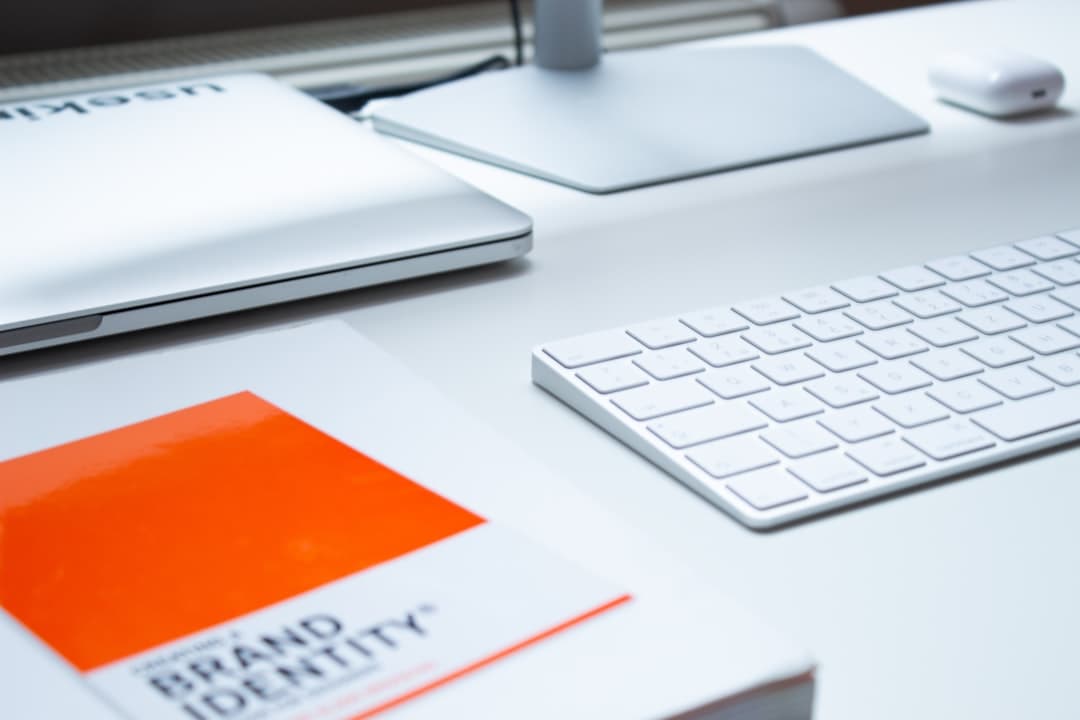
A brand refresh is a targeted update to your visual identity, voice, and messaging — keeping your core brand equity intact while modernizing how it looks and sounds. It differs from a full rebrand, which replaces the brand entirely. Most companies need a refresh every 3-5 years to stay current with design trends, expand into new audiences, or correct positioning drift. A successful refresh costs a fraction of a rebrand, takes 8-12 weeks, and rolls out across the website, social channels, product UI, and sales materials in a coordinated launch.
If your logo looks 2018, your website feels outdated, or your messaging no longer matches what you do, you do not necessarily need a full rebrand. You probably need a refresh. This guide covers the difference, the signals that you need one, the 6-phase process, and how to roll out the new brand across your website without breaking SEO.
Brand Refresh vs Rebrand
The two are often confused, but they are very different exercises:
Brand Refresh
- Keeps name, core values, market positioning
- Updates logo (often a modernization, not a replacement)
- Updates typography, color palette, photography style
- Updates website design and tone
- Refines voice without changing identity
- Costs $15,000 to $150,000 depending on scope
- Takes 8-12 weeks
Full Rebrand
- May change name
- New logo, often radically different
- New positioning, audience, or product focus
- New everything — site, materials, voice, even URL
- Costs $100,000 to $1M+ depending on size
- Takes 6-12 months
Most companies should refresh first. A full rebrand is justified only when your name no longer fits, your audience has shifted dramatically, or you have legal or PR reasons to start fresh.
Signals You Need a Brand Refresh
Visual Signals
- Your logo uses 2010s gradients, complex illustrations, or skeuomorphism
- Your website looks like it was built in 2017 with stock photography
- Your typography is dated (Lobster, Bebas, anything overused 10 years ago)
- Your color palette feels muddy or has too many accent colors
- Your competitors all look more modern than you
- Sales decks and the website do not match
Strategic Signals
- Your messaging describes what you used to do, not what you do now
- You have expanded into new audiences your brand was not built for
- You have a new product line that does not fit the old brand
- Your founder-driven brand needs to scale past the founder
- Customers describe you differently than your marketing describes you
- You are losing deals to better-branded competitors
Internal Signals
- Your team cannot agree on what the brand is
- New hires question why the brand looks the way it does
- Sales reps make their own decks because the official ones are off
- Marketing has to add custom design every time they post on social
If you check 4+ boxes, you need a refresh. If you check 8+ across categories, you may need a rebrand.
The 6-Phase Brand Refresh Process
Phase 1: Audit (Week 1-2)
Inventory everything that touches the brand:
- Logo (primary, secondary, monochrome, favicon)
- Typography (headings, body, monospace)
- Color palette (primary, secondary, accent, neutrals)
- Photography and illustration style
- Website templates and components
- Sales decks, one-pagers, proposals
- Social profiles, ad creative, email templates
- Product UI components
- Office signage, business cards, swag
For each, note what is working and what feels dated. Get stakeholder input from founders, marketing, sales, and customer success.
Phase 2: Strategy (Week 2-3)
Define what the refresh is solving:
- Who is the audience now (vs when the brand was built)?
- What positioning are we sharpening?
- What feeling should the brand evoke?
- What are competitors doing visually? Where can we differentiate?
- What are the non-negotiables (keep the wordmark? Keep the primary color?)
The output is a refresh brief — 4-8 pages that any designer can work from.
Phase 3: Design (Week 3-7)
Build the new brand system:
- Logo modernization (3-5 concepts, narrow to 1)
- Typography pair (1 display, 1 body)
- Color palette (primary, 2-3 secondary, neutral scale, semantic colors)
- Photography direction
- Illustration style if used
- Component patterns — buttons, cards, forms, sections
- Voice and tone guide — 1-2 pages on how the brand talks
See our color theory guide and typography guide for the design fundamentals.
Phase 4: System (Week 7-9)
Package the new brand into reusable systems:
- Brand guidelines PDF (15-30 pages)
- Figma library with components and tokens
- Design tokens for development (colors, spacing, type scale)
- Asset library — logos in all formats, photos, illustrations
- Templates — slide decks, social posts, email signatures
Phase 5: Rollout (Week 9-11)
This is where most refreshes fail. The new brand exists in a Figma file but never makes it to customer-facing surfaces. Plan rollout in order of visibility:
- Website redesign (highest visibility)
- Product UI updates (gradual, do not break workflows)
- Social profiles, email templates, ad creative
- Sales materials, proposals, slide decks
- Internal materials, swag, signage
Phase 6: Launch and Communicate (Week 11-12)
Tell the story. A brand refresh without a launch story feels like nothing happened. Publish:
- A blog post explaining the why behind the refresh
- A social thread on Twitter, LinkedIn, and Instagram
- An email to your list announcing what is new
- A behind-the-scenes video for higher trust
- A press note if the refresh is part of a larger story
Rolling Out the Refresh on Your Website
The website is where the refresh hits hardest. Several traps to avoid:
Trap 1: Breaking SEO With URL Changes
If you are also restructuring URLs during the refresh, set up 301 redirects from every old URL to the new one. Missing redirects cost 30-60 percent of organic traffic temporarily and sometimes permanently. Audit with Ahrefs or SEMrush before and after launch.
Trap 2: Launching Half-Refreshed
Avoid the situation where the homepage has the new brand but the pricing page, blog, and product pages still use the old one. Visitors notice. Launch all major templates simultaneously, even if some less-trafficked pages take longer.
Trap 3: Forgetting About Email and Ads
Email templates in HubSpot or Mailchimp, ad creative in Meta and Google, and PDFs hosted on your site all need updating. Build a checklist and assign owners.
Trap 4: Ignoring Product UI
For SaaS companies, the marketing site and the product UI should align. A modern marketing site with a dated product UI feels jarring. Phase the product refresh — do not break workflows, but bring colors, type, and components into the new system over 2-3 sprints.
Common Brand Refresh Mistakes
- Skipping the strategy phase and jumping straight to logo design
- Refreshing in a vacuum without competitor analysis
- Letting the founder veto every design choice (kills momentum)
- Designing in isolation from the website team
- Forgetting to update the favicon (it still says “old brand” in browser tabs)
- Not building a Figma library, so every new asset gets recreated from scratch
- Launching the new brand without a story
- Refreshing too often (every 1-2 years) which dilutes recognition
- Not refreshing often enough (every 8-10 years) which leaves you looking dated
Brand Refresh Examples That Worked
- Mailchimp 2018: kept the brand name and chimp mascot, modernized the wordmark, added a custom typeface, broadened the use of yellow
- Slack 2019: simplified the logo to a cleaner mark, refined the color palette, more accessible everywhere
- Dropbox 2017: moved from the friendly blue gradient to a bolder, more designer-led palette
- Burger King 2021: threw out the bevels and gradients, went back to a flat, more confident wordmark that nodded to 1969
- Instagram 2016: the gradient icon refresh — controversial at launch, now considered defining
The pattern: keep the equity (the chimp, the blue, the camera) and modernize the execution.
Brand Refresh Budget
Typical ranges in 2026:
- Solo designer: $5,000 to $15,000, 4-8 weeks
- Small studio: $20,000 to $60,000, 8-12 weeks
- Mid-size agency: $50,000 to $150,000, 10-14 weeks
- Top-tier branding agency: $150,000 to $500,000+, 12-20 weeks
Most SMB SaaS companies get great results in the $30,000 to $80,000 range. Beyond that, you are paying for process and senior attention more than design quality.
Frequently Asked Questions
How often should a brand be refreshed?
Every 3-5 years is typical. Faster-moving industries like SaaS and consumer apps refresh every 2-3 years. Established categories like banking or industrial refresh every 7-10 years. A refresh is not a rebrand — you are keeping the core identity and updating the execution.
How long does a brand refresh take?
8-12 weeks for the design and system work, plus another 4-8 weeks for full website and material rollout. Total runway from kickoff to public launch is typically 12-20 weeks. Faster is possible but rollout suffers. Slower means you are likely overscoped and should have done a full rebrand.
What is the difference between a brand refresh and a rebrand?
A refresh keeps the name, positioning, and core equity while updating logo, typography, color, and visual systems. A rebrand replaces the brand entirely, often including the name. Refresh costs $15K-$150K and takes 8-12 weeks. Rebrand costs $100K-$1M+ and takes 6-12 months. Most companies should refresh first.
Ready to Refresh?
A brand refresh is one of the highest-leverage marketing investments you can make. Done well, it lifts conversion, raises perceived quality, and gives your team a system to scale from.
Want a refreshed brand built into a new website? Talk to our team or see our pricing.