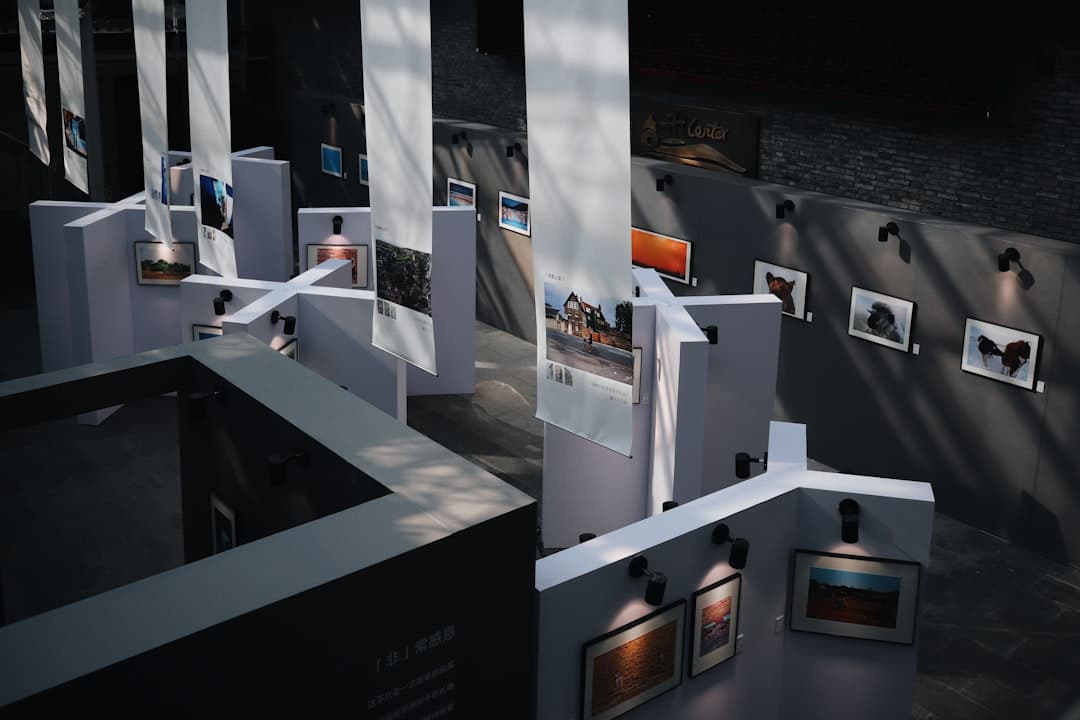
The best Framer templates for photographers in 2026 pair full-bleed image galleries with fast load times, built-in booking flows, and clean typography that puts your work first. Top picks span wedding, portrait, commercial, landscape, editorial, studio, fine art, documentary, real estate, and multi-discipline templates, each optimized for image-heavy portfolios.
What Makes a Great Photography Template
A photography portfolio is not a standard marketing site. The work is the product, and every design decision either elevates the image or fights it. A great Framer template for photographers solves four problems at once: showing image galleries at high quality without slowing the page, giving clients an obvious path to book or buy, surviving on a phone where most discovery happens, and staying out of the way visually so the photography stays the focus.
Galleries matter most. Look for layouts that support full-bleed hero images, masonry grids that handle mixed orientations, and lightbox views that load high-resolution files on demand. Booking and print sales features separate hobbyist templates from professional ones. If you shoot weddings or portraits, you need an inquiry form connected to your calendar. If you sell prints, you need a checkout flow that handles variants like size and frame.
Selection Criteria
Every template below was evaluated against six criteria: gallery flexibility across portrait, landscape, and square crops; performance with default image optimization and lazy loading; booking integration with Calendly, Acuity, or HoneyBook; print sales support through Stripe and Shopify; customization depth without breaking responsive behavior; and niche fit between the visual language and the type of photographer it serves.
If you are still deciding which platform to build on, our best website builder for photographers guide compares Framer against Squarespace, Wix, Format, and Pixieset.
Wedding Photographer Template
Gallery style: full-bleed cinematic hero, masonry mid-section, lightbox for full collections. Ideal niche: wedding and engagement photographers who want their work to feel editorial. Key features: large opening image that loads quickly on hotel Wi-Fi, story-driven layout that sequences images like a magazine spread, dedicated investment page for pricing tiers, inquiry form ready for Calendly or HoneyBook. Customization tips: pair a serif display font like Cormorant or Playfair with a quiet sans body, keep your palette to two neutrals plus one accent, and use the masonry gallery so vertical and horizontal frames sit side by side without gaps.
Portrait and Family Photographer Template
Gallery style: grid-based portfolio with category filters, sticky navigation, soft entrance animations. Ideal niche: portrait, family, newborn, and senior photographers who shoot many sessions per month and need to organize work by category. Key features: filterable galleries by session type, testimonial blocks that work with or without client photos, session guide download for lead capture, mobile-first layout because most clients browse on a phone. Customization tips: separate sessions into categories like newborn, family, and senior, but keep filters under six. Add a short “what to expect” section to warm leads before the inquiry form.
Commercial and Brand Photographer Template
Gallery style: case study layout with project pages, client logo wall, before-and-after sliders. Ideal niche: commercial, product, food, and brand photographers who sell to marketing teams and need to show work in context. Key features: case study template pairing hero image with campaign description, client logo grid, services page with clear deliverables, structured contact form with budget and timeline fields. Customization tips: lead with two or three flagship case studies rather than dumping every shoot into one gallery, and write a short paragraph for each that names the brand, the deliverable, and one creative or technical detail buyers will care about.
Landscape and Travel Photographer Template
Gallery style: wide cinematic crops, map-based location index, scroll-driven storytelling sections. Ideal niche: landscape, adventure, and travel photographers who sell prints and license images to publications. Key features: full-width image sections that hold up at 4K, map component for shot locations, print shop section, journal layout for long-form SEO content. Customization tips: resist showing fifty landscapes on the homepage. Pick six to twelve hero frames that represent your visual range, then send visitors to deeper galleries by region. Long captions help search engines and serious collectors.
Editorial Fashion Photographer Template
Gallery style: magazine-inspired spreads, asymmetric layouts, large typography paired with full-bleed imagery. Ideal niche: editorial, fashion, and beauty photographers targeting publications, agencies, and creative directors. Key features: tear sheet layouts that mimic print editorials, story pages for each shoot, credits blocks for stylists and models, agency representation section. Customization tips: use the asymmetric grid for at least one section so the layout feels designed rather than dropped in. Tight kerning on display headlines and generous white space around hero images reinforce the editorial feel.
Photo Studio and Team Template
Gallery style: services-led structure with team bios, studio space gallery, embedded booking calendar. Ideal niche: photo studios with multiple shooters, rental studios, and collectives sharing a single brand. Key features: photographer profile pages with individual portfolios, studio amenities page (lighting kits, backdrops, square footage), pricing calculator for half-day and full-day bookings, integrated availability calendar. Customization tips: give each photographer a profile page that links to their portfolio so clients can request a specific shooter. If you rent studio space, include a floor plan and list gear inventory in plain language.
For a deeper look at studio-specific site architecture, see our photography studio website design guide.
Fine Art Print Sales Template
Gallery style: museum-style single image presentations, edition information panels, integrated checkout. Ideal niche: fine art photographers selling limited edition prints to collectors and galleries. Key features: print shop with size and frame variants, edition number display, artist statement page, exhibition history, integration with Stripe or Shopify for fulfillment. Customization tips: present one image per screen rather than crowding works together. Show the edition size, paper type, and dimensions next to the buy button. A short statement on signing, certificates of authenticity, and shipping reduces hesitation on first purchases.
Documentary Photographer Template
Gallery style: long-form essay pages, sequenced image stories, text-image-text rhythm. Ideal niche: documentary, photojournalism, and long-term project photographers pitching grants, exhibitions, and editorial assignments. Key features: project pages that mix images with body text, captions and dates for every frame, awards and publications sidebar, assignment inquiry form. Customization tips: design each project as a chapter rather than a slideshow. Open with an anchor image, follow with a paragraph of context, then sequence five to fifteen frames with brief captions.
Real Estate Photographer Template
Gallery style: property-focused galleries, twilight shots, drone work, virtual tour embeds. Ideal niche: real estate, architectural, and interior photographers serving agents, brokers, and developers. Key features: per-property gallery pages, pricing tiers by square footage, turnaround time guarantee, agent testimonial section, online order form. Customization tips: lead with three or four flagship listings that show range (luxury, mid-market, new construction). State turnaround time in hours, not vague language like “fast.” Add a coverage area map so agents outside your zone self-select before contacting you.
Multi-Discipline Photographer Template
Gallery style: split portfolio with section toggles, unified brand across categories, single inquiry form that routes by service type. Ideal niche: working photographers who shoot weddings, portraits, and commercial work and refuse to maintain three separate sites. Key features: split landing page that lets visitors pick a discipline, separate galleries per service, unified pricing page with clear category breaks, single contact form with a service dropdown that routes inquiries. Customization tips: write a one-sentence positioning statement at the top of the homepage that names every discipline you serve. Use the same typography and palette across all sections so the site reads as one brand.
Gallery Layouts: Grid, Masonry, Slideshow, and Lightbox
Four gallery patterns cover almost every photography portfolio need. Grid layouts use uniform cells and work well when your images share orientation. Masonry layouts let images keep their native aspect ratios in a vertical flow, ideal when you mix portrait and landscape frames. Slideshow layouts focus attention on one image at a time and suit fine art and editorial work. Lightbox overlays sit on top of any gallery and load high-resolution versions on click, keeping initial page weight low while still giving serious viewers the detail they want. The best templates combine all four: slideshow hero, masonry portfolio, grid galleries by category, and lightbox on demand.
Performance: Image-Heavy Sites Without Slowdowns
Photography sites earn or lose visitors in the first two seconds. Framer’s default image handling is strong because it serves responsive sizes automatically, compresses files behind the scenes, and lazy loads anything below the fold. To keep performance healthy as your portfolio grows, upload images at sensible source sizes (2,000 pixels on the long edge is usually plenty for web display), avoid stacking more than ten full-bleed sections on a single page, and use lightbox galleries instead of forcing every full-size file into the initial load.
For a full walkthrough of image compression formats, dimensions, and quality settings, read our image optimization for websites guide. It covers WebP, AVIF, responsive sizes, and the tradeoffs between visual quality and file size that matter most for photographers.
Booking and Print Sales Integrations
Photographers who book sessions need three things working together: a contact form that captures the right details, a calendar that shows actual availability, and a payment step for retainers or deposits. Framer connects cleanly to Calendly and Acuity for scheduling, and pairs with Stripe for payment collection. If you use HoneyBook or Dubsado for client management, embed their lead capture forms through the embed component so leads flow into your CRM without manual entry.
Print sales work two ways. Smaller editions and signed prints can sell through Stripe checkout with manual fulfillment, keeping fees low. Higher-volume catalogs benefit from a Shopify storefront connected to a print-on-demand service, which automates fulfillment but adds a monthly platform cost. Under thirty prints a month, Stripe is simpler. Above that, Shopify pays for itself.
Photography SEO Basics
Search engines cannot see your images directly, so they rely on file names, alt text, captions, and surrounding text to understand what you photograph. Rename files before upload using descriptive patterns like “wedding-photographer-denver-mountain-elopement.jpg” instead of “IMG_4521.jpg.” Write alt text that describes the image for a visually impaired visitor and naturally includes your location and specialty. Add captions where they make editorial sense, especially on documentary and travel work.
Location pages help local photographers rank for searches like “wedding photographer Austin.” A short page per city you serve, with three to five local portfolio examples, typically outranks generic homepage copy.
Choosing the Right Template for Your Niche
If you serve a single niche, pick the template built for it. Wedding photographers benefit from cinematic editorial layouts, commercial photographers from case study structures, fine art photographers from minimal museum-style presentations. The right specialized template reduces customization time because the visual decisions already match your audience’s expectations. If you shoot across multiple niches, the multi-discipline template beats bending a wedding template into a commercial site.
If you want help selecting and customizing a template, our team builds and migrates photographer sites on Framer regularly. Get in touch for a portfolio review and template recommendation tailored to your work.
Frequently Asked Questions
Are Framer templates good for photographers compared to Squarespace or Format?
Yes, especially for photographers who care about performance and design control. Framer renders pages as static sites with strong default image optimization, keeping load times fast even on image-heavy portfolios. Squarespace is easier for non-designers but slower out of the box. Format is purpose-built for photographers and includes proofing tools, but offers less design flexibility than Framer.
How much do photography Framer templates cost?
Most photography templates sit between $49 and $199 as a one-time purchase. Premium templates can reach $249 or more. Framer’s own subscription (required to publish) starts at $5 per month for the basic plan and $15 per month for sites that need forms and CMS. Compared to Squarespace’s $23 per month starting tier or a custom design at $5,000 to $15,000, a template plus Framer subscription is the most cost-effective route for working photographers.
Can I sell prints directly from a Framer template?
Yes. Framer supports Stripe checkout natively, which works well for small print editions and signed work. For larger print catalogs with variants like size and frame, connect a Shopify storefront and embed product pages or use Shopify’s buy buttons inside Framer. Print-on-demand services like Printful and WHCC can fulfill orders automatically once connected to your Shopify backend.
Will my Framer photography site load fast on mobile?
Yes, if you build it right. Upload images at around 2,000 pixels on the long edge for hero images and smaller for thumbnails, use lightbox galleries for full-resolution viewing instead of forcing every large file into the initial page load, and avoid stacking too many full-bleed sections on one page. Photography sites built on Framer regularly score 90 or higher on mobile PageSpeed.
Can I switch templates later without rebuilding everything?
Partially. CMS content (gallery items, blog posts, project entries) carries over when you swap templates within the same Framer project, but layout-specific styling and section structures will need rebuilding. If you expect to redesign within a year, choose a template close to your long-term vision now. Most photographers who pick well stay on the same template for two to four years.