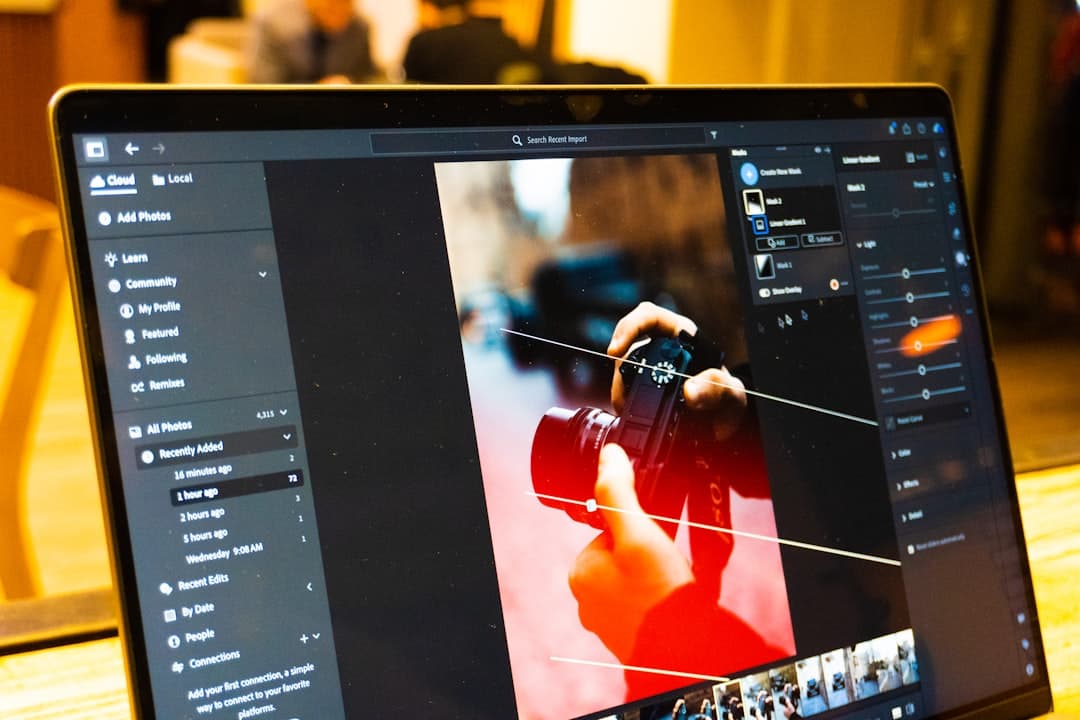
Image optimization is the practice of serving the smallest possible image file at the right dimensions, in a modern format, with proper loading strategy. A well-optimized site cuts image weight by 60 to 85 percent, reduces Largest Contentful Paint by 1 to 3 seconds on mobile, and ranks better in search because Core Web Vitals improve. The work involves choosing the right format (WebP or AVIF), compressing intelligently, sizing responsively, and lazy-loading anything below the fold.
Why Image Optimization Is Still the Highest-Leverage Performance Win
On a typical marketing site, images account for 50 to 70 percent of total page weight. JavaScript and CSS get most of the attention in performance discussions, but a single oversized hero image can add 2MB to a page that should weigh 800KB. Most performance audits find the biggest, easiest wins in image handling.
The Core Web Vitals signals that Google uses for ranking (Largest Contentful Paint, Cumulative Layout Shift) are heavily image-dependent. LCP usually measures how quickly the hero image loads. CLS often spikes when images load without specified dimensions. Both metrics improve dramatically when images are optimized.
Beyond rankings, image weight affects conversion. Mobile visitors on cellular connections abandon pages that take more than 3 seconds to load. Compressing images is the fastest way to bring page weight under control.
The Format Decision: WebP, AVIF, or Legacy
Three modern formats matter in 2026.
WebP: Google’s format, supported by 97 percent of browsers as of 2026. 25 to 35 percent smaller than JPEG at equivalent quality. The safe default for most images.
AVIF: the newer format, supported by 92 percent of browsers. 40 to 60 percent smaller than JPEG. Slightly slower to encode. Best for hero images and large photography where the file-size savings justify the encoding time.
JPEG and PNG: still appropriate as fallbacks for older browsers and email clients. PNG is correct for images that need transparency or have flat color (logos, icons, screenshots with text).
The pattern that works in 2026:
<picture>
  <source srcset="/images/hero.avif" type="image/avif">
  <source srcset="/images/hero.webp" type="image/webp">
  <img src="/images/hero.jpg" alt="Designer reviewing a layout"
       width="1600" height="900" loading="eager"
       fetchpriority="high">
</picture>
The picture element lets the browser choose the best format it supports. Modern browsers get AVIF, slightly older browsers get WebP, very old browsers get the JPEG fallback.
Compression: Quality vs File Size
Compression is where most amateurs go wrong. They either compress too aggressively (artifacts everywhere) or not at all (10MB hero images). The sweet spot for photographic content is quality 75 to 85 on JPEG, 80 to 90 on WebP, 60 to 75 on AVIF (AVIF is more efficient at lower quality settings).
Tools that produce good results:
- Squoosh (squoosh.app): Google’s free in-browser tool. Excellent for one-off compression with side-by-side comparison.
- ImageOptim (Mac): drag-and-drop batch compression for JPEG, PNG, GIF, SVG.
- Sharp (Node.js): the standard library for build-time image processing. Fast and produces excellent quality.
- cwebp and avifenc (command-line): the official encoders for batch jobs.
- TinyPNG and TinyJPG: hosted compression with API access.
For sites with hundreds or thousands of images, build-time processing through Sharp or a CDN-based service (Cloudflare Images, Cloudinary, Imgix) handles compression automatically with no manual work per image.
Responsive Images: Serving the Right Size
A 4K hero image displayed at 800 pixels wide on a phone wastes 75 percent of its bytes. Responsive images serve appropriately-sized files for each device.
<img
  src="/images/hero-800.webp"
  srcset="
    /images/hero-400.webp 400w,
    /images/hero-800.webp 800w,
    /images/hero-1200.webp 1200w,
    /images/hero-1600.webp 1600w,
    /images/hero-2400.webp 2400w
  "
  sizes="(max-width: 768px) 100vw, (max-width: 1200px) 60vw, 1200px"
  alt="Marketing dashboard"
  width="1600" height="900"
  loading="eager"
>
The srcset attribute lists available sizes. The sizes attribute tells the browser how wide the image will display at different viewport widths. The browser then picks the smallest file that satisfies the display size, accounting for device pixel ratio.
Most build tools and CMS platforms generate srcset automatically. Next.js Image component does this. Framer does this. WordPress with the right setup does this. Manual srcset is rarely necessary in 2026.
Lazy Loading: Defer Off-Screen Images
Images below the fold should not load until the visitor scrolls toward them. Browser-native lazy loading is one attribute:
<img src="/images/below-fold.webp" alt="Team meeting"
     width="1200" height="800" loading="lazy">
The loading=”lazy” attribute tells modern browsers to defer the load. This is supported in 96 percent of browsers as of 2026. For older browsers, fall back to a JavaScript-based intersection observer pattern.
Two rules for lazy loading:
- The hero image (LCP candidate) should never be lazy-loaded. Use loading=”eager” and fetchpriority=”high” on the LCP image.
- Images two or three viewports below the fold are perfect candidates for lazy loading. Images just below the fold should also lazy-load on slow connections, but the browser’s heuristics usually handle this correctly.
Always Specify Width and Height
Cumulative Layout Shift (CLS) measures how much the page jumps as content loads. The biggest cause of CLS is images without specified dimensions. The browser does not know how much space to reserve until the image arrives, so content below the image jumps when the image finally loads.
Always specify width and height attributes (or aspect-ratio in CSS):
<!-- Bad: causes layout shift -->
<img src="/photo.webp" alt="Team photo">

<!-- Good: reserves space -->
<img src="/photo.webp" alt="Team photo" width="1200" height="800">

<!-- Also good: CSS aspect-ratio -->
<img src="/photo.webp" alt="Team photo"
     style="aspect-ratio: 3/2; width: 100%; height: auto;">
The dimensions do not need to match the displayed size. They are used for the aspect ratio calculation. The browser scales the image to fit the actual layout.
SVG for Icons and Logos
SVG (Scalable Vector Graphics) is the right format for any image that is geometric: logos, icons, illustrations with flat colors, simple diagrams. SVGs scale to any size without quality loss, are typically smaller than equivalent PNG files, and can be styled with CSS.
Two patterns for SVG:
- Inline SVG: the SVG markup lives directly in the HTML. Best for icons that need CSS styling or animation. Adds page weight but eliminates a request.
- Linked SVG: the SVG is loaded via img or use href. Best for logos and large illustrations. Cacheable.
Optimize SVGs with SVGO (svgo.dev) before deploying. Designers often export SVGs with editor metadata, hidden layers, and unnecessary precision that doubles or triples file size.
Image CDNs and Build-Time Processing
For sites with more than 50 images, manual optimization is unsustainable. Two approaches scale.
Build-time processing: tools like Next.js Image, Astro Image, or Eleventy Image generate WebP, AVIF, and multiple sizes at build time. The build is slower; runtime is fast.
Image CDNs: services like Cloudflare Images, Cloudinary, Imgix, or imagekit.io transform images on demand. Upload an original; get any size, format, or quality through URL parameters.
<!-- Cloudflare Images example -->
<img src="https://imagedelivery.net/abc123/hero/w=1200,format=webp,quality=85"
     alt="Product hero"
     width="1200" height="800">
Pricing for image CDNs runs $20 to $200 per month for typical mid-market sites. The performance gain and engineering time savings usually justify the cost. The website speed optimization guide covers the broader CDN context.
Alt Text: Accessibility and SEO
Alt text serves two purposes. Screen readers announce alt text to blind and low-vision users. Search engines use alt text to understand image content for image search and as a content signal.
Rules for alt text:
- Decorative images get alt=”” (empty), not omitted entirely
- Informative images get a description of what the image shows
- Functional images (icons that act as buttons) get a description of the function
- Keep alt text under 125 characters
- Do not stuff keywords; write naturally
- Do not start with “image of” or “picture of”
For complex images (charts, diagrams, infographics), provide a longer description in surrounding HTML or via aria-describedby. Alt text alone is not enough for content-rich images. The website accessibility guide covers alt text patterns in depth.
Common Image Optimization Mistakes
Six mistakes show up in nearly every audit. Uploading 4K hero images and displaying them at 1200 pixels wide. Using JPEG when WebP would save 30 percent at equivalent quality. Forgetting width and height attributes (CLS regressions). Lazy-loading the LCP image (LCP regressions). Using PNG for photographs (file size 5x larger than JPEG). Skipping SVG optimization (SVGs that should be 4KB shipping at 40KB).
The fix for all of these is a build pipeline that handles image processing automatically and a quarterly audit that catches drift.
Performance Targets
For 2026, the targets that produce good Core Web Vitals scores:
- Hero image (LCP candidate) under 200KB
- Below-fold images under 100KB each
- Total image weight on a page under 1MB
- LCP under 2.0 seconds on 4G mobile
- CLS under 0.1
Sites that hit these targets routinely score 90+ on PageSpeed Insights mobile and rank above slower competitors for the same keywords.
For Framer-specific image optimization that ships with these defaults, see our pricing.
Frequently Asked Questions
What is the best image format for websites in 2026?
WebP is the safe default, supported by 97 percent of browsers and 25 to 35 percent smaller than JPEG. AVIF is even better at 40 to 60 percent smaller, with 92 percent browser support. Use a picture element with both, plus a JPEG fallback for the rare older browser.
How small should hero images be?
Under 200KB is the target for the largest visible image (LCP candidate). At 1600 pixels wide, that means quality 80 to 85 in WebP or 65 to 75 in AVIF. Going under 100KB starts producing visible compression artifacts on photography.
Should I lazy-load every image?
No. Lazy-load images below the fold but always eagerly load the largest visible image (LCP candidate). Lazy-loading the LCP image produces a slow Largest Contentful Paint score and hurts rankings.
Do image CDNs improve SEO?
Indirectly, by improving Core Web Vitals scores. Image CDNs serve smaller, optimized files faster, which improves LCP and overall page speed. Google uses Core Web Vitals as ranking signals, so faster images contribute to better rankings.
What dimensions should I export images at?
Generate the following sizes for responsive use: 400px (small mobile), 800px (large mobile or 1x desktop), 1200px (2x mobile or 1.5x desktop), 1600px (large desktop), and 2400px for retina displays. Modern build tools generate these automatically from a single source file.
If you want a Framer build that ships with image optimization baked in (WebP, responsive sizes, lazy loading, CDN delivery), talk to our team.