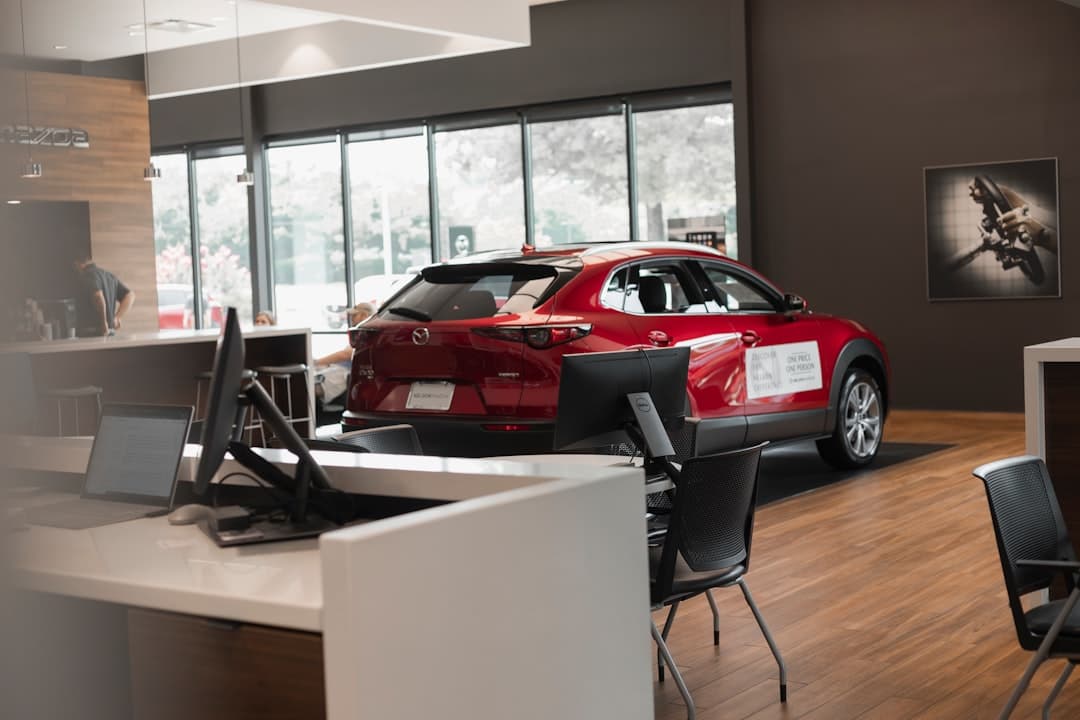
Automotive website design is the practice of building fast, inventory-aware, mobile-first websites for dealerships, repair shops, detailers, and aftermarket brands. A strong automotive site pairs clear inventory or service listings with trust signals, click-to-call, and booking, then loads in under two seconds so buyers do not bounce to a competitor.
Car buyers research online long before they visit a lot. By the time someone walks into a showroom or calls a shop, they have usually compared three or four businesses on their phone. Your website is the first test, and it decides whether the call ever happens.
This guide covers the pages every automotive site needs, the design patterns that convert browsers into bookings, the technical performance bar you have to clear, and how Framer makes all of it faster to ship and easier to maintain.
Key takeaways
- Automotive buyers are mobile-first and impatient, so speed and click-to-call beat heavy galleries every time.
- Inventory, service menus, and booking are the three pages that drive revenue, and they should be reachable in one tap.
- Trust signals like reviews, certifications, and real staff photos lift conversion more than stock imagery.
- Core Web Vitals matter for both ranking and conversion, and Framer ships sites that pass them by default.
- Local SEO with structured data helps you show up when someone searches “brake repair near me” or a specific model.
Why automotive websites are different
Most industries sell one thing. Automotive businesses often sell several at once: vehicles, parts, service, financing, and trade-ins. A dealership homepage has to route a first-time SUV shopper, a returning service customer, and a parts buyer to completely different destinations without confusing any of them.
The buying journey is also longer and more emotional than a typical purchase. A car is the second-largest expense most people make. Buyers want photos, specs, financing math, and reassurance before they commit. Your site has to deliver that depth while staying light enough to load on a phone in a parking lot with two bars of signal.
Mobile traffic dominates
For most dealerships and shops, well over half of traffic comes from phones, and for “near me” searches it is higher. That single fact should drive every design decision. Tap targets need to be large, the phone number should be tappable from any screen, and booking should never require pinch-to-zoom.
The pages every automotive site needs
Whether you run a single repair bay or a multi-rooftop dealer group, the same core pages carry the load. Skipping any of them sends visitors back to Google.
- Homepage with a clear value proposition, primary call to action, and fast routing to inventory or services.
- Inventory or vehicle listings with filters for make, model, year, price, and mileage, plus high-quality photos.
- Vehicle or service detail pages with specs, pricing, financing estimates, and a single obvious next step.
- Service and repair menu with transparent pricing ranges and an online booking form.
- Financing and trade-in tools or forms that capture leads without forcing a full application.
- About and team page with real photos, certifications, and the story behind the business.
- Reviews and testimonials pulled from Google and other sources, shown prominently.
- Contact and location with a map, hours, directions, and click-to-call.
The inventory page is your storefront
For dealerships, the inventory grid is the most visited page after the homepage. It needs server-side filtering that feels instant, clean photo thumbnails, and a price that is never hidden behind “call for price.” Every listed vehicle should link to a detail page with a gallery, a financing calculator, and a clear “check availability” action.
The service menu sells trust through transparency
Repair shops win by removing fear of the unknown. Publishing price ranges for common jobs like oil changes, brake pads, and diagnostics signals honesty. Pair each service with an estimated time and an online booking button so the visitor can act in the moment.
Design patterns that convert
Good automotive design is less about flashy animation and more about removing friction. The goal is to make the next step obvious on every screen.
Put the phone number everywhere
A large share of automotive conversions happen by phone, not by form. A sticky header with a tap-to-call button, repeated near every major section, captures intent the moment it spikes. The same approach drives results across other high-intent service industries, which is why the patterns we cover in our guide to building a B2B lead generation website apply just as well to a dealership or shop.
Use real photography
Stock photos of generic cars and smiling actors read as fake. Photos of your actual lot, your service bay, and your team build the credibility that closes deals. If you must use stock for backgrounds, keep it subtle and never on the inventory or team pages.
Show social proof early
Star ratings, review counts, and named testimonials belong above the fold or immediately after the hero. Buyers trust other buyers more than any claim you make about yourself.
Performance is a ranking and revenue factor
Google measures real-world loading speed through Core Web Vitals, and slow automotive sites get buried. A typical dealership site loaded with large hero videos, third-party chat widgets, and unoptimized vehicle photos can take six or more seconds to become interactive. Every second of delay costs you calls.
| Metric | Good target | What it measures |
|---|---|---|
| Largest Contentful Paint | Under 2.5 seconds | How fast the main content appears |
| Interaction to Next Paint | Under 200 milliseconds | How quickly the page responds to taps |
| Cumulative Layout Shift | Under 0.1 | How stable the layout is while loading |
| Time to first byte | Under 800 milliseconds | Server and hosting responsiveness |
Why Framer clears the bar
Framer ships optimized code, serves images in modern formats, and runs on a global content delivery network without you configuring anything. Sites built in Framer routinely pass Core Web Vitals on PageSpeed where bloated template-based builds fail. That matters because the same speed discipline drives results for data-heavy sites too, which is why the principles in our analytics SaaS website design guide carry directly into automotive.
Local SEO for automotive businesses
Most automotive searches are local and high-intent. Someone typing “transmission repair near me” is ready to call today. To capture that traffic, your site needs the technical and content foundations search engines reward.
Structured data and local signals
Add AutoDealer or AutoRepair schema markup so search engines understand your business type, hours, and location. Pair that with a Google Business Profile, consistent name and address details across the web, and dedicated pages for each location if you run multiple rooftops.
Content that matches search intent
Build pages around the questions buyers actually type: model comparisons, financing explainers, and service how-tos. This is the same demand-driven approach that powers any strong industry site, and it mirrors the structure we recommend in our architecture firm website design guide, where authority content and clear service pages work together.
Lead capture and follow-up for automotive
Not every visitor is ready to call today. A meaningful share are researching for a purchase weeks out, and capturing them now means winning the sale later. Your site should give these visitors a low-commitment way to stay in touch.
Offer value in exchange for contact details
A trade-in valuation tool, a financing pre-qualification form, or a service reminder signup all give a researching buyer a reason to share their email or phone number. These soft conversions feed a follow-up sequence that brings the buyer back when they are ready, turning a single visit into a tracked lead.
Connect the site to your sales process
A form is only as good as what happens after submission. Route inquiries straight to your CRM or sales team so no lead sits unworked. Framer integrates with popular CRM and automation tools, so a vehicle inquiry can trigger a follow-up the moment it lands, while you keep full control over the on-site design.
Photography and visual standards
In automotive, the photos sell the metal. A blurry or poorly lit vehicle shot can cost you a sale even when the car is perfect in person. Investing in consistent, high-quality imagery pays back directly in conversions.
Standardize how vehicles are shot
Use the same angles, background, and lighting for every vehicle so your inventory grid looks clean and professional. Multiple shots per vehicle, including interior, engine, and detail views, let buyers inspect remotely and build confidence before they visit.
Keep imagery light without losing quality
High-resolution photos can balloon page weight and slow loading, which hurts both conversions and rankings. Framer compresses and serves images in modern formats automatically, so you keep the visual quality buyers expect without paying the speed penalty that sinks many dealership sites.
Common automotive website mistakes
Even well-funded dealerships make the same errors. Avoiding them puts you ahead of most local competitors.
- Hiding prices behind “call for details,” which kills trust and conversions.
- Auto-playing video with sound, which drives mobile visitors away instantly.
- Stacking three or four chat and popup widgets that slow the page and annoy buyers.
- Burying the phone number in the footer instead of the header.
- Using a generic template that looks identical to every other dealer in town.
Building your automotive site in Framer
Framer gives an automotive business a visual canvas with the performance of hand-coded React under the hood. You can design custom inventory grids, connect a content source for listings, add booking forms, and publish to a global content delivery network in the same afternoon. There is no plugin maintenance, no separate hosting bill, and no security patching to chase.
For teams that update inventory or specials frequently, Framer’s content management system lets non-technical staff edit listings safely without touching the design. That keeps the site fresh, which both buyers and search engines reward.
Frequently Asked Questions
How much does an automotive website cost?
A professionally designed automotive website typically ranges from a few thousand dollars for a single-location shop to higher figures for multi-rooftop dealer groups with custom inventory integrations. Framer reduces ongoing costs because hosting, security, and the content delivery network are built in, so you avoid the recurring plugin and maintenance bills common on other platforms.
Can Framer handle a large vehicle inventory?
Yes. Framer’s content management system can manage hundreds of vehicle or service entries, and you can connect external inventory sources through its API and integration tools. For very large dealer feeds, you pair Framer with a content source so listings update automatically while the design stays consistent.
Why does website speed matter so much for automotive?
Most automotive traffic is mobile and high-intent, and buyers compare several businesses in minutes. A site that takes more than three seconds to load loses a meaningful share of those visitors to faster competitors. Framer ships sites that pass Core Web Vitals by default, which protects both your search rankings and your phone calls.
Do I need separate pages for each location?
If you operate multiple locations, dedicated pages for each one help you rank in every local market and give visitors accurate hours, directions, and contact details. Each page should carry its own local schema markup and a Google Business Profile link.
If you run a dealership, repair shop, or aftermarket brand and want a site that loads fast, ranks locally, and turns browsers into booked calls, Framer Websites builds and maintains it for you. See our pricing to find the right fit, then get in touch to start your project.