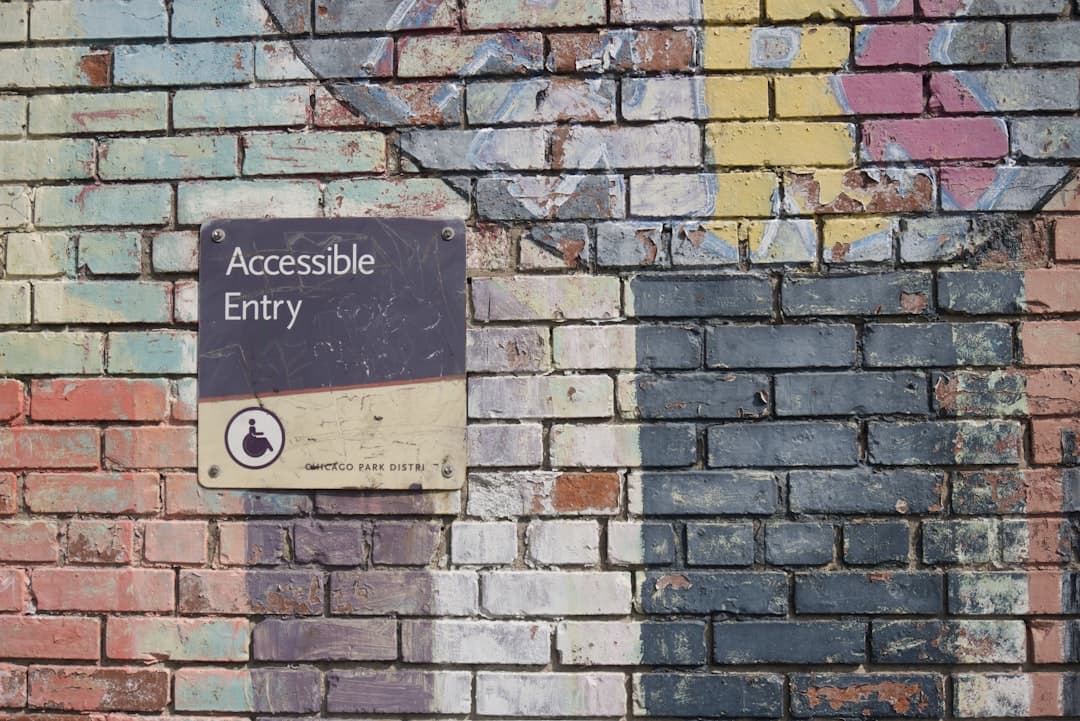
Alt text is the written description added to an image through the HTML alt attribute that screen readers announce, search engines index, and browsers display when the image fails to load. Good alt text is concise, specific, and conveys the purpose of the image in context — not just what the image shows. Bad alt text is generic (“image,” “photo”), redundant (repeats the caption verbatim), or missing entirely. This guide covers how to write effective alt text for every image type, when to leave it blank, and the common mistakes that hurt both accessibility and SEO.
What Alt Text Actually Is
Every <img> element in HTML supports an alt attribute. The string in that attribute is what screen readers announce when a blind or low-vision user encounters the image. It is also what search engines like Google use to understand what the image depicts and rank it in image search results. And it is the fallback text shown when an image fails to load for any reason — slow network, broken URL, content-blocker, or text-only browser.
The HTML specification has required the alt attribute on every <img> since the very beginning. Omitting it is invalid HTML. Empty alt — alt="" — is valid and meaningful: it tells assistive technology to skip the image because it is decorative.
Why Alt Text Matters
- Accessibility — screen reader users rely on alt text to understand what every image conveys. Without it, content is incomplete.
- SEO — Google uses alt text as one signal for image search rankings and for understanding the page topically.
- Failure resilience — alt text appears when images fail to load, keeping pages usable.
- Search context — text-only browsers, search bots, and AI summarizers read alt text in place of pixels.
- Legal compliance — WCAG 2.2 requires alt text on all non-decorative images at every conformance level.
How to Write Effective Alt Text
Good alt text follows a small set of rules that apply across every context.
1. Be Concise
Aim for one sentence, under 125 characters. Screen readers do not give users a way to pause mid-announcement; long alt text becomes a wall of audio. If a more detailed description is necessary, put it in the page text near the image or use a separate descriptive element referenced by aria-describedby.
2. Convey the Purpose, Not Just the Pixels
The same photo can have different alt text depending on what role it plays. A photo of a smiling barista on a homepage hero might be “Friendly barista preparing a latte at the espresso bar.” The same photo on a job listing might be “Barista position open — apply now.” Match the description to the purpose the image serves in context.
3. Skip Phrases Like “Image of” or “Picture of”
Screen readers already announce the element as an image. Adding “image of…” is redundant. Start with the content directly. Exception: when the type of image matters — illustration, screenshot, chart, photograph — including the medium can be useful.
4. Include Essential Text Visible in the Image
If a graphic includes text — a banner, an infographic, a quote card — that text should appear in the alt text. “Banner reading: 50% off all winter coats this weekend” rather than “Promotional banner.”
5. Match the Tone of the Page
Alt text on a formal corporate site reads differently from alt text on a casual lifestyle blog. The voice should match the rest of your content.
6. Avoid Keyword Stuffing
Some old SEO advice recommends packing alt text with target keywords. This hurts both accessibility (it sounds robotic to screen reader users) and SEO (Google detects manipulation). Write naturally for humans; keyword presence emerges where it genuinely fits.
Alt Text by Image Type
Different image types call for different approaches. Use these patterns as your default.
Decorative Images
Background patterns, ornamental flourishes, abstract dividers, decorative photos that add visual interest without conveying meaning. Use alt="" — empty alt — so screen readers skip them. Do not omit the alt attribute entirely; that creates an error and may cause some screen readers to announce the file path instead.
<img src="decorative-flourish.png" alt="" />Functional Images
Icons inside buttons, logos that link to the homepage, image-based controls. The alt text should describe the function, not the appearance. A magnifying glass icon inside a search button gets alt="Search" — not “magnifying glass icon.” A logo linking home gets alt="[Brand name] home".
Informative Photos
Photos that illustrate or support the surrounding text. Describe what is essential to understanding the message. A product photo on an ecommerce page: “Black leather messenger bag with brass buckles, three-quarter view.” A photo of a speaker on a conference page: “Maya Patel speaking at the 2026 design summit.”
Charts and Graphs
Alt text alone cannot convey complex data. Provide a short summary in alt text, then put a full description or data table in the surrounding text. alt="Bar chart showing 40% revenue growth from Q1 to Q4 2025" is a good summary; details belong nearby in the page text.
Screenshots
Describe what the screenshot shows in terms of the action or interface being illustrated. “WordPress dashboard with the Posts menu expanded, showing 5 draft posts.” Skip pixel-level description of buttons and colors unless they matter to the tutorial.
Infographics
The alt text should summarize the key insight in one sentence. The full content should appear as text on the page or in a linked description so users with screen readers can access the same information.
Quotes and Text-as-Image
If you use a stylized image to display a quote or any text, the alt text must contain the full text plus attribution. “Quote graphic: ‘Design is intelligence made visible.’ — Alina Wheeler.”
Logos
Use the company or brand name as alt text. alt="Stripe", not “Stripe logo” — screen readers already announce it as an image, and the function is brand identification. For linked logos in headers, alt text like “Stripe home” makes the function clearer.
Product Photos
Describe the product specifically. “Navy blue cotton crewneck sweater with raglan sleeves, front view.” If multiple photos of the same product show different angles, distinguish them: “… front view,” “… back view,” “… close-up of fabric texture.”
People in Photos
Use first-and-last names when they matter (speakers, executives, authors). Describe identifying context (“customer holding the product”) when names are not relevant. Avoid describing physical appearance unless it is the point of the image. Do not assume gender, ethnicity, or other identity markers from a photo unless explicitly identified by the person depicted.
When to Leave Alt Text Blank
Empty alt — alt="" — is the correct choice when the image is purely decorative and adds no information not already in the surrounding text. The classic cases:
- Background photos, patterns, ornamental dividers.
- Icons next to text that already says the same thing (a calendar icon next to the word “Schedule”).
- Photos that illustrate atmosphere but contribute no specific information.
- Image versions of decorative bullets, separators, or flourishes.
The test: read the surrounding text without seeing the image. If the user has lost nothing meaningful, the image is decorative and the alt should be empty.
Alt Text and SEO
Google’s image search ranks based on file name, alt text, surrounding context, and image quality. Alt text is a meaningful signal but not the only one. Pair good alt text with descriptive file names (navy-crewneck-sweater.jpg beats IMG_4032.jpg) and contextual surrounding copy.
Avoid keyword stuffing. alt="navy blue crewneck sweater navy sweater crewneck cotton sweater navy cotton" hurts more than it helps. Google penalizes manipulation, and the alt text is unusable for screen reader users. Natural descriptions that include the relevant terms once are the right pattern.
For more on the broader picture, see our image optimization guide.
Common Alt Text Mistakes
Even teams that take accessibility seriously make these mistakes regularly. Audit your site for them.
Missing Alt Attribute Entirely
An <img> with no alt attribute at all is invalid HTML. Some screen readers will read the file name instead — “IMG underscore four zero three two dot jay peg.” Always include the attribute, even if empty.
Using the File Name as Alt Text
CMS imports often default to the file name. “DSC_4032” is not useful alt text. Audit imports and write real descriptions.
Generic Descriptions
“Image,” “photo,” “graphic,” “illustration” — words that add nothing. If the alt could apply to any image on the site, it is too generic.
Decorative Images with Non-Empty Alt
Background flourishes with alt text like “abstract pattern” make screen reader users sit through irrelevant announcements. Use empty alt for true decoration.
Caption Duplicated as Alt Text
If a photo has a visible caption directly below it, duplicating the caption in alt text makes screen readers announce it twice. Either leave the alt blank and rely on the caption, or use different phrasings for the two.
Long Sentences That Could Be Shortened
Alt text is not a creative writing exercise. Keep it under 125 characters as a rule. If the image genuinely needs more, add a longer description in page text.
Linked Images with No Alt
An image inside an <a> tag with no alt text creates an unlabeled link — screen readers announce “link” with no destination. Always describe the link target in the alt text of a linked image.
Translating Alt Text Manually for Multilingual Sites
Translations often miss alt text. Use translation tooling that explicitly handles alt attributes, and audit translated sites for English alt text remnants.
Tooling and Validation
Automated tools catch missing or trivially wrong alt text quickly.
- axe DevTools — browser extension that flags missing alt attributes and obvious issues.
- WAVE — visual overlay that highlights missing or empty alt attributes.
- Lighthouse — Google’s built-in accessibility audit covers alt text basics.
- Screaming Frog SEO Spider — crawls a site and exports a list of every image with its alt attribute. Sort and filter to find issues at scale.
- Manual review with a screen reader — automated tools cannot detect bad alt text, only missing alt text. Periodically walk through pages with NVDA or VoiceOver to assess quality.
Alt Text in Modern CMSs
Every modern platform supports alt text editing.
- WordPress — the media library exposes an Alt Text field for every image. Set it on upload; never leave it blank by default.
- Framer — images have an Alt Text property in the right panel. CMS items also expose alt text per image field.
- Webflow, Squarespace, Wix, Shopify — all expose alt text on every image. Configure your team’s content guidelines to require it on every upload.
- Headless CMSs (Contentful, Sanity, Strapi) — model alt text as a required field on every image asset so authors cannot publish without it.
Whatever platform you use, make alt text a required field at the schema level, not a nice-to-have at the editorial level. That is the only way to keep coverage high.
AI and Alt Text
Modern AI vision models can generate alt text automatically. Tools like Google’s automatic alt text, GPT-4 Vision, and Claude can describe images with reasonable accuracy. These are useful for backfilling alt text on legacy content but should be reviewed by humans before publishing. AI descriptions miss contextual purpose — the model sees pixels, not why you chose the image. Use AI as a draft generator, then edit for context, brevity, and tone.
FAQ
How long should alt text be?
Aim for one sentence, under 125 characters. Some screen readers cut off at this length and many users find longer descriptions tedious. If an image genuinely needs more description — a complex chart, an infographic, a detailed illustration — use a short alt text summary and provide the full description in page text or in an element referenced by aria-describedby.
Do I need alt text on images that have a visible caption?
If the caption fully describes the image and is read by screen readers in proximity to the image, you can leave the alt empty. But often the caption and the alt text serve different purposes — the caption adds editorial context, the alt describes what the image shows. The cleanest pattern is to write alt text that describes the image and a caption that adds context, with no exact-duplicate text between them.
Does alt text help SEO?
Yes, for image search ranking and for Google’s understanding of the page’s overall topic. But the SEO benefit follows from writing accurate, descriptive alt text — the same alt text that helps accessibility. Keyword stuffing hurts both. Write naturally, include relevant terms once where they fit, and the SEO benefit comes for free.
Want a site where alt text is a required field at the schema level, accessibility is baked in, and your images rank in Google Images? See our pricing or get in touch.