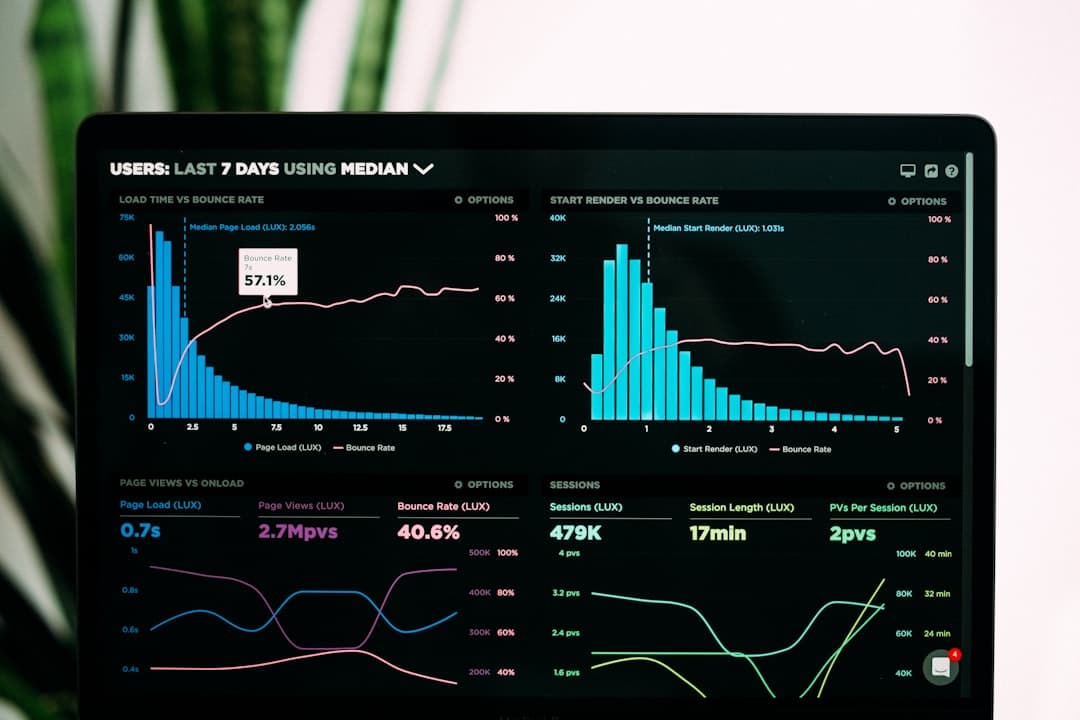
A website audit is a systematic review of how your site performs across SEO, speed, security, accessibility, and user experience. A complete audit in 2026 takes four to eight hours, uses tools like Google Search Console and Lighthouse, and produces a prioritized list of fixes that improve rankings, conversions, and visitor trust.
Key Takeaways
- A full website audit covers six pillars: technical health, on-page SEO, performance, security, accessibility, and conversion design.
- Run a baseline audit quarterly and a lightweight check after every major site change.
- Free tools like Google Search Console, Lighthouse, and PageSpeed Insights cover most of what you need.
- Prioritize fixes by impact and effort, not by how easy they are to spot.
- Sites built on a clean platform like Framer start with fewer technical issues, which shortens audit cycles.
What a Website Audit Actually Covers
Many teams think an audit means running one tool and reading a score. A real audit looks at the full system. Your website is a chain of dependencies, and a weak link anywhere drags down everything downstream. A fast page with broken structured data still loses rich results. A beautiful design with poor accessibility still excludes users and invites legal risk.
A complete audit examines six pillars. Technical health covers crawlability, indexing, and site structure. On-page SEO covers titles, headings, content quality, and internal links. Performance covers loading speed and visual stability. Security covers encryption and protection against common attacks. Accessibility covers whether everyone can use the site. Conversion design covers whether visitors actually complete the actions you want.
When you treat these as one connected review rather than six separate checklists, patterns appear. A slow server often explains both poor performance scores and crawl budget waste. A messy heading structure often explains both SEO and accessibility failures. The audit is where those connections surface.
Step 1: Audit Technical Health and Indexing
Start with Google Search Console. Open the Pages report under Indexing and review how many pages are indexed versus excluded. Pages marked as Crawled but currently not indexed or Discovered but currently not indexed are signals that Google found your content but chose not to rank it. That usually points to thin content or duplication.
Crawl and Structure Checks
Confirm your XML sitemap is submitted and returns only canonical, indexable URLs. Check your robots.txt file to make sure you are not accidentally blocking important sections. Run a crawl with a tool like Screaming Frog or Ahrefs Site Audit to find broken links, redirect chains, and orphan pages that no internal link points to.
Site structure matters more than most audits admit. A flat, logical hierarchy where important pages sit within three clicks of the homepage helps both users and search engines. If your audit reveals deep, tangled navigation, that is a structural fix worth prioritizing. Our guide to website navigation design walks through how to plan this properly.
Step 2: Audit On-Page SEO
For every key page, check that the title tag is unique, descriptive, and under roughly 60 characters. Confirm each page has one clear H1 and a logical heading order. Look for missing or duplicate meta descriptions. Review whether the content genuinely answers the search intent behind the keyword you are targeting.
Internal linking is the most overlooked part of on-page SEO. Strong pages should pass authority to pages you want to rank. During the audit, map your internal links and identify pages with no incoming links and high-value pages with too few. Schema markup is another quick win. Adding structured data helps search engines understand your content and can earn rich results. See our guide to schema markup for websites for implementation details.
Step 3: Audit Performance and Core Web Vitals
Run Lighthouse in Chrome DevTools and PageSpeed Insights on your most important pages. Focus on the three Core Web Vitals. Largest Contentful Paint should be under 2.5 seconds. Cumulative Layout Shift should be under 0.1. Interaction to Next Paint should be under 200 milliseconds.
Use field data, not just lab scores. PageSpeed Insights shows real Chrome user data when enough traffic exists, and that reflects what visitors actually experience. Common audit findings include oversized images, render-blocking scripts, and layout shift from elements that load without reserved space. Our deep dives on Core Web Vitals and website speed optimization cover the fixes in detail.
Why Platform Choice Affects Performance
A heavy stack of plugins and themes is a frequent source of slow scores. When we rebuild sites in Framer, performance improves because the platform ships lean code, serves assets from a global CDN, and handles image optimization automatically. The audit still matters, but you spend less time fighting the platform.
Step 4: Audit Security
Confirm your site loads over HTTPS and that the SSL certificate is valid and not close to expiring. Check that HTTP requests redirect to HTTPS. Look for mixed content warnings where a secure page loads insecure resources. Review whether software, plugins, and dependencies are current, since outdated components are the most common attack vector.
Add security headers such as Strict-Transport-Security and Content-Security-Policy where your platform allows. For a full walkthrough, read our guides on website security best practices and SSL certificate setup. A security failure does more than risk data. It triggers browser warnings that destroy trust in seconds.
Step 5: Audit Accessibility
Accessibility is both an ethical baseline and a ranking and legal consideration. Run an automated checker like axe DevTools or Lighthouse accessibility scoring. Then test manually. Navigate the whole site using only the keyboard. Check that every image has meaningful alt text. Confirm text contrast meets WCAG AA standards. Verify form fields have visible labels.
Automated tools catch roughly a third of issues, so manual testing is essential. Our complete website accessibility guide covers WCAG conformance in full.
Step 6: Audit Conversion Design
A site can be technically perfect and still fail to convert. Review whether each page has a clear primary action. Check that calls to action are visible without scrolling on key pages. Look at form length, since every extra field reduces completion. Review mobile experience closely, because most traffic is mobile and small layout problems cost real revenue.
Use analytics to find pages with high traffic and low conversion, then study those pages carefully. Our website conversion rate guide explains how to read these patterns and act on them.
How to Prioritize and Report Your Findings
An audit that produces 80 issues with no order of operations rarely gets acted on. Score each finding on impact and effort. High impact and low effort items get done first. High impact and high effort items get scheduled. Low impact items go to a backlog or get dropped.
Write the final report in plain language. For each issue, state what is wrong, why it matters, and the recommended fix. Group issues by pillar so the team can assign work. Set a re-audit date so you can measure whether the fixes worked. A baseline audit every quarter, plus a quick check after any major change, keeps a site healthy without becoming a burden.
Want an expert audit without spending a weekend on it? Our team reviews your site across all six pillars and delivers a prioritized action plan you can actually use. If the findings point toward a rebuild, we design and ship fast, SEO-ready sites in Framer. Get in touch with our team or review our pricing options to get started.
Frequently Asked Questions
How often should I run a website audit?
Run a complete audit once per quarter and a lightweight check after any major change such as a redesign, migration, or new section. High-traffic sites benefit from monthly performance and indexing checks since small issues compound quickly.
How long does a website audit take?
A thorough audit of a small to mid-sized site takes four to eight hours of focused work. Larger sites with thousands of pages take longer because crawling and analysis scale with page count. Fixing the issues found usually takes longer than the audit itself.
What tools do I need for a website audit?
Google Search Console, Lighthouse, and PageSpeed Insights are free and cover most needs. A crawler such as Screaming Frog or Ahrefs Site Audit finds structural problems. An accessibility checker like axe DevTools completes the toolkit. You can run a strong audit with free tools alone.
Can a website audit improve my search rankings?
Yes. Audits surface the technical, content, and performance issues that hold pages back. Fixing crawl errors, improving Core Web Vitals, strengthening internal links, and resolving thin content all support better rankings. Results typically appear over several weeks as search engines recrawl the site.