Squarespace vs WordPress vs Wix: Which Wins in 2026?
Squarespace, WordPress, and Wix together power a huge share of the small-business web. Squarespace is a polished hosted builder with strong design defaults, WordPress is the open-source CMS that runs over 43 percent of all sites, and Wix is the AI-driven hosted builder with the deepest beginner ramp. Each platform wins in a specific scenario, and the right choice depends on how much control, scale, and flexibility you actually need.
This guide compares all three across the dimensions that matter in 2026: design and ease of use, SEO and performance, ecommerce, total cost of ownership, and long-term flexibility. By the end you will know which platform fits your business, and where a fourth option like Framer might serve you better. For a head-to-head between two of these platforms, see our Squarespace vs WordPress comparison.
The Three Platforms at a Glance
Squarespace, WordPress, and Wix solve overlapping problems with very different philosophies. Squarespace is opinionated about design and hands you a small set of well-tuned templates. WordPress is opinionated about almost nothing and hands you a foundation to build whatever you can imagine. Wix is opinionated about ease and hands you AI generators that try to do most of the work for you.
None of these platforms is objectively best. Each one optimizes for a specific user, and the unhappy stories almost always come from someone picking the wrong fit for their use case.
Squarespace in One Sentence
If you want a beautiful site that looks intentional with very little design effort, Squarespace gives you the strongest defaults of any platform on the market. The templates are conservative, the typography is well chosen, and the overall result tends to look more polished than the equivalent Wix or WordPress build with the same time investment.
WordPress in One Sentence
If you need editorial scale, deep customization, or full ownership of your stack, WordPress is the most flexible platform on the internet. The cost is complexity. You assemble a stack of theme, plugins, and hosting, and you maintain it yourself or pay someone to do it.
Wix in One Sentence
If you have never built a website and you want one online today, Wix gives you the gentlest learning curve, the most generous free tier, and an AI-driven builder that can produce a passable site in under an hour. The ceiling on Wix is lower than Squarespace or WordPress, but the floor is higher.
Design and Ease of Use
The day-to-day experience of building on each platform is dramatically different.
Squarespace uses a section-based editor where you pick from pre-designed blocks and customize them within tight constraints. The constraints are the feature, not the bug. They keep your site looking good even when you make questionable choices. The downside is that you cannot break out of those constraints when you want to do something custom.
Wix offers two editing modes. The classic Wix Editor is fully drag-and-drop, where you can place anything anywhere on the canvas. Wix Studio, the newer professional mode, uses responsive layout primitives closer to Webflow or Framer. The drag-and-drop mode is forgiving for beginners, but the responsive design defaults are weaker than Squarespace.
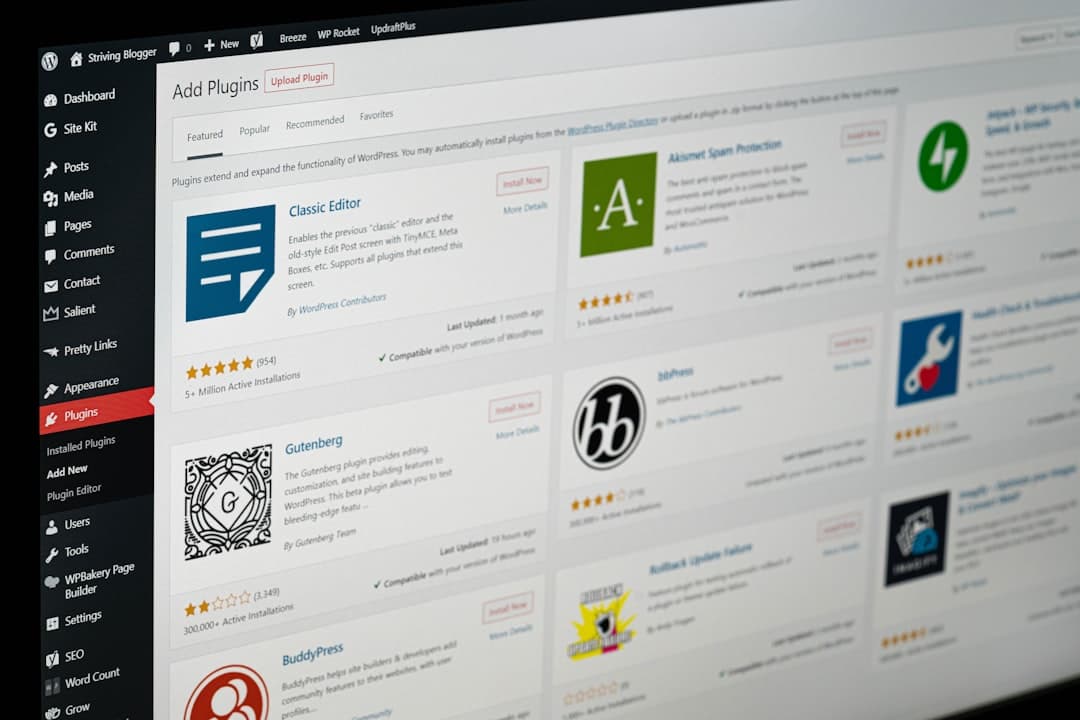
WordPress design depends entirely on the theme and editor you pick. The block editor that ships with WordPress is solid, but most real sites layer a page builder like Elementor, Divi, or Bricks on top. Each of those builders is a small platform of its own, with its own learning curve and performance trade-offs.
Time to First Site
For a non-technical user, Wix gets you to a published site fastest, often in under an hour with the AI builder. Squarespace takes a few hours of template selection and content entry. WordPress takes a day or more once you factor in hosting setup, theme install, and plugin selection.
SEO and Performance
SEO is where the platforms diverge most. WordPress with Rank Math or Yoast offers the deepest SEO toolkit on the market. Schema generation, redirect management, content scoring, breadcrumb control, and integrations with every major keyword tool are one click away. For an in-house SEO team, no other platform comes close.
Squarespace covers the basics well. Page titles, meta descriptions, Open Graph tags, alt text, sitemaps, and 301 redirects all work out of the box. The platform does not offer schema beyond product and article defaults, and there is no plugin layer to extend it. For a typical small business with twenty or fifty pages, Squarespace SEO is enough.
Wix has improved dramatically in the last three years. The Wix SEO Wiz walks you through setup, the platform supports schema markup, sitemaps generate automatically, and Core Web Vitals scores are competitive. The lingering reputation that Wix is bad for SEO no longer holds for sites built in the last two years.
Performance
Squarespace and Wix both ship reasonable Core Web Vitals on default templates. WordPress can be the fastest of the three or the slowest, depending entirely on the stack. A lean WordPress install on quality hosting with a fast theme and aggressive caching can hit 95 plus on PageSpeed. A typical small-business WordPress site with five page builders and twenty-eight plugins on shared hosting will struggle to break a 50.
Ecommerce
If selling products is your primary goal, the comparison shifts. Shopify still leads pure ecommerce, but each of these three platforms can run a real store.
Squarespace Commerce is the most polished default ecommerce experience of the three. Product pages look great with no customization, the checkout is clean, and inventory management is built in. Transaction fees are zero on Commerce plans.
WordPress with WooCommerce is the most flexible. Any payment gateway, any shipping carrier, any tax model, any product type works. The cost is complexity. WooCommerce sites need careful hosting, regular maintenance, and a developer when something breaks.
Wix Stores is fine for a small catalog of physical goods. The product limits, transaction fees on lower plans, and weaker inventory tools make it a poor choice for a serious ecommerce operation. For our take on the broader ecommerce landscape, see Squarespace vs Shopify.
Total Cost of Ownership
Sticker price hides the real cost. Hosting, plugins, premium templates, and developer time all add up.
Squarespace runs sixteen to forty-nine dollars per month for a typical site, with everything included. No hosting fee, no plugin fee, no developer retainer needed for basic operation.
Wix runs seventeen to one hundred and fifty-nine dollars per month depending on the plan. Most small businesses land on the Core or Business plans at twenty-nine to thirty-six per month. Like Squarespace, hosting and basic features are bundled.
WordPress is harder to pin down. A blog on shared hosting costs ten dollars per month. A real business site with managed hosting at one hundred per month, premium plugins at thirty per month, and a part-time developer at two hundred per month lands at three hundred and thirty per month. Most small business owners underestimate the WordPress total cost of ownership by a factor of three or four.
Where Each Platform Wins
Squarespace wins for service-based small businesses, photographers, restaurants, wedding planners, consultants, and any solo operator who values a polished result over flexibility. The default output looks intentional, and the maintenance load is essentially zero.
WordPress wins for editorial sites with multiple authors, large content libraries, membership sites, learning management platforms, complex directories, and any site where the existing plugin ecosystem solves a hard problem. The trade-off is ongoing maintenance.
Wix wins for first-time site owners, very small budgets, side projects, and businesses where speed of launch matters more than long-term flexibility. The AI builder genuinely does shorten the path from zero to live.
Where Framer Fits Into This Conversation
Framer has emerged as a fourth option that often beats all three for marketing-led sites. It pairs the design polish of Squarespace with stronger animation primitives, pairs the visual control of professional tools like Webflow with a much faster authoring experience, and avoids the maintenance overhead of WordPress entirely. For B2B SaaS marketing sites, brand sites, and product launches, Framer ships in days what would take weeks elsewhere.
If your site is primarily a marketing site or a brand site, look at Framer vs Squarespace and Framer vs Wix before deciding. For shoppers comparing every option, the broader WordPress alternatives breakdown covers the full landscape.
How to Decide
Start with the question that actually matters: what is the primary purpose of the site? A marketing site, a service business, a content library, a store, and a portfolio all want different things from a platform.
If the answer is service business or portfolio, default to Squarespace unless something specific argues against it. If the answer is editorial or technical depth, default to WordPress. If the answer is first ever website with very limited budget, Wix is fine. If the answer is marketing site that needs to feel modern and ship fast, look at Framer.
Most teams overweight feature checklists and underweight the experience of using the tool every day. Sign up for a free trial of each finalist, build a single page in each, and notice which one you actually want to come back to. That gut response tends to be right.
Frequently Asked Questions
Is Squarespace better than WordPress for small businesses?
For most service-based small businesses, yes. Squarespace requires zero maintenance, ships polished defaults, and bundles hosting in the price. WordPress wins when you need a feature that only exists in a plugin, when you have multiple content authors, or when you want to fully own your stack.
Can I migrate between these platforms?
Yes, with effort. WordPress to Squarespace and Squarespace to WordPress migrations are both possible through CSV export of content, manual rebuild of design, and careful redirect mapping. Wix exports are more limited and migration off Wix is the hardest of the three.
Which platform is best for SEO in 2026?
WordPress with Rank Math or Yoast offers the deepest SEO toolkit. Squarespace covers the basics well and is enough for most small business sites. Wix has closed the gap dramatically and now ranks competitively. The platform matters less than the content quality and link building.
Should I consider Framer instead of all three?
If your site is primarily a marketing site, brand site, or product site, Framer is worth serious consideration. It gives designers more control than Squarespace or Wix with a smaller learning curve, and it avoids the maintenance overhead of WordPress entirely. For editorial-heavy content sites, WordPress still wins.
Want a marketing site that ships in two weeks and ranks from day one? Talk to Framer Websites about a fixed-price build, or browse our pricing options to find the package that fits.