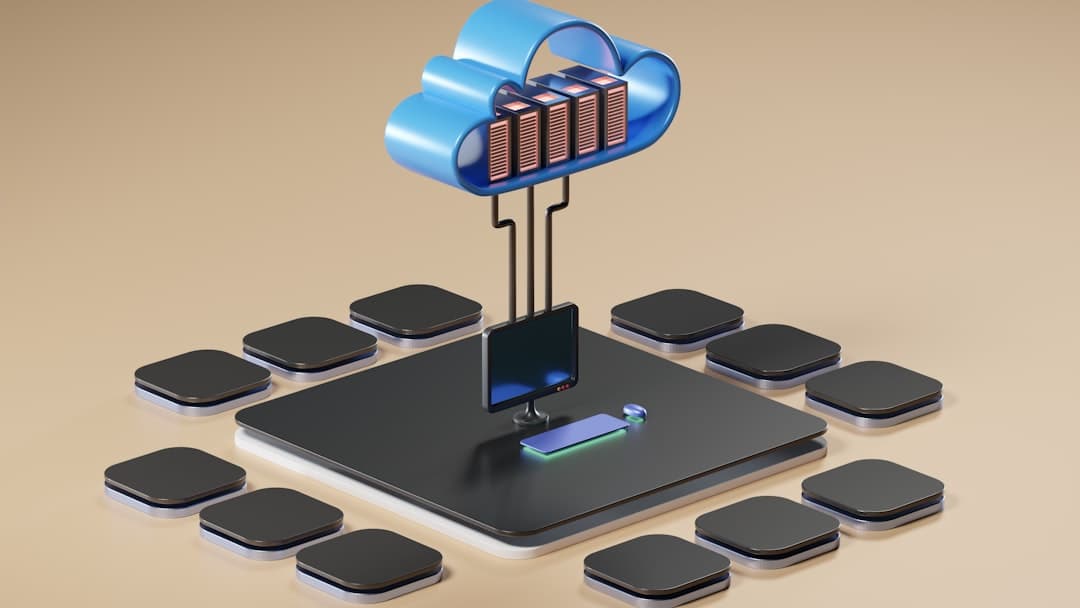
A headless CMS is a content management system that stores and delivers content via API, leaving the frontend entirely to your developers. It makes sense when you publish to multiple channels (web, mobile, kiosks, voice), want a custom frontend in a framework like Next.js or Astro, or need editorial workflows that scale beyond a single website.
What Is a Headless CMS?
A traditional CMS like WordPress bundles three layers together: the database, the editorial interface, and the presentation layer (themes and templates). The same software that stores your content also renders it as HTML and ships it to the browser. A headless CMS removes the presentation layer entirely. You get a content database and an editing interface, and content reaches your audience through a REST or GraphQL API.
The term “headless” comes from this missing head (the frontend). Developers attach their own head, which can be a Next.js website, a React Native app, a digital signage screen, an Amazon Alexa skill, or all of the above pulling from the same content source. Editors write blog posts, product descriptions, or marketing pages in a clean interface, hit publish, and the content becomes available to every channel subscribed to that API.
Headless vs Traditional CMS
A coupled (traditional) CMS owns the entire stack. WordPress, Squarespace, Wix, and Shopify all work this way by default. You install or sign up, pick a theme, edit pages in a visual editor, and the platform handles rendering. The advantage is speed of setup. The cost is rigidity: your design choices are constrained by the theme system, your performance ceiling is set by the platform, and pushing content to a mobile app or an in-store screen usually requires custom plugins or duplicate work.
A decoupled (headless) CMS owns only the content. Sanity, Contentful, Strapi, and similar tools provide an editor and an API, and that is the entire scope. Your developers build whatever frontend they want using whatever framework fits the project. Content flows in one direction, from CMS to frontend, through a stable contract (the API schema). This separation is what unlocks multichannel publishing, custom design, and modern performance characteristics like static generation and edge delivery.
When Headless Makes Sense
Headless is the right call when your content needs to live in more than one place. A SaaS company that publishes product documentation on its marketing site, inside the app as help articles, and on a developer portal benefits enormously from a single content source. A retailer pushing promotions to a website, mobile app, and in-store displays gets the same benefit. Writing once and distributing everywhere beats maintaining three copies.
Custom frontend ambition is the other strong signal. If your design team has produced something that does not fit a WordPress theme or a Squarespace template, headless lets developers build it pixel-perfect in React, Vue, or Svelte while editors still have a comfortable place to update copy and images. Performance is the third driver: headless setups pair naturally with static site generation and edge delivery, shipping pre-rendered HTML from a global CDN so pages load in under a second worldwide. Scale matters too. Once you have dozens of editors, complex review workflows, localization, and content powering multiple products, structured-content is the only sane way to keep everything consistent.
When a Traditional CMS Is Better
A small marketing team running a single website usually does not need headless. A WordPress site with a good theme, a few plugins, and a page builder gets you a working product in a weekend. A Squarespace or Wix subscription gets you there in an afternoon. Adding a headless layer for a five-page brochure site introduces complexity without payoff.
Content-led sites where editors want to control layout visually are also better served by coupled systems. WordPress with Elementor, Webflow, Squarespace, and Framer all let writers see exactly what readers will see. Budget is the third factor: a headless project requires developers to build, maintain, deploy, and update the frontend when schemas change. A $20-a-month WordPress host with a $60 theme is dramatically cheaper than a custom Next.js app even when the headless CMS itself has a generous free tier.
How Headless CMS Works
The flow is straightforward. An editor opens the CMS, fills in fields defined by a content model (title, body, hero image, author, tags), and publishes. The CMS stores this content in its database and exposes it through an API endpoint. A request to that endpoint returns structured JSON. Your frontend, which lives on a separate platform like Vercel or Netlify, queries that API.
There are three common patterns. Static generation fetches all content at build time, renders every page to HTML, and ships those files to a CDN. Server-side rendering fetches content on every request, slower but always fresh. Incremental static regeneration mixes both: pages are static but rebuild in the background when content changes. Preview is the one area where headless adds friction. In WordPress, hitting “preview” shows the post on the live theme instantly. In a headless setup, your frontend needs a preview mode that fetches draft content through a separate API endpoint or a preview-enabled query. Every modern headless platform supports this, but it must be built and tested. Bad preview is the top reason editors revolt against a headless migration.
Top Headless CMS Platforms
Sanity is the developer favorite. Content modeling is code-first (schemas defined in JavaScript), the query language (GROQ) is powerful, and real-time collaboration in the Studio editor is best in class. Contentful is the enterprise standard, with the longest track record, the deepest integration ecosystem, and the strongest localization tooling. Pricing is opaque and skews expensive, but for companies needing SLAs, SSO, and audit logs, it is the default choice.
Strapi is the leading open-source option, self-hostable on any Node.js environment for full control and zero per-seat fees. The editor is functional rather than beautiful, and you take on the operational burden. Storyblok stands out for visual editing: editors see the live website inside the CMS and click any block to edit it. Prismic uses a “slice” model where editors build pages from a library of pre-designed sections.
Payload is a newer entrant on Node.js that stores content in MongoDB or Postgres. Like Strapi it is self-hostable and code-first, but the admin interface is nicer. Directus wraps any SQL database with a REST and GraphQL API plus an admin app, a good fit for projects with legacy data or strict data-residency requirements.
Pricing Models
Headless CMS pricing splits along four axes. Seat-based pricing (Contentful, Sanity, Storyblok) charges per editor and gets expensive fast as editorial headcount grows. Content-tier pricing limits the number of documents or content types in a given plan, forcing an upgrade when you hit the ceiling even if traffic and team size are unchanged. API-request pricing charges based on how often your frontend hits the CMS, which is friendly to small teams with high traffic since static generation can keep calls low. Self-hosted pricing (Strapi, Payload, Directus) eliminates platform fees entirely but adds infrastructure costs and operational responsibility. A two-person team with a million monthly visitors usually wants self-hosted or API-request pricing; a fifty-person editorial team with modest traffic usually wants seat-based.
Choosing the Right Headless CMS
Start with editorial needs. Walk the people who will write content through a demo of each shortlisted CMS and watch where they get stuck. A platform that wins on technical specs but frustrates editors will be quietly abandoned within six months. Storyblok and Prismic tend to win editor evaluations; Sanity and Contentful tend to win developer evaluations. Pick the one that wins both, even if it does not lead on either axis.
Second, model your content before you commit. Sketch the types you need (Article, Author, Category, Product, Landing Page) and the relationships between them, then build a representative model in each shortlisted CMS. The friction you feel here is the friction you will feel forever. Third, audit the API: run the queries your frontend will actually run, check response shape and latency from your deployment region, and test preview mode end-to-end. Fourth, calculate three-year total cost (license, hosting, developer time, replacement plugins for forms, search, comments) and compare against a coupled alternative.
Frontend Pairings
Next.js is the most common pairing. It supports static generation, server-side rendering, incremental static regeneration, and edge functions, all of which map cleanly onto the patterns headless CMS platforms expect. Almost every major headless CMS publishes a Next.js starter and a preview-mode guide.
Astro is the rising choice for content-heavy sites. It ships zero JavaScript by default, which makes for fast pages, and its component model accepts React, Vue, and Svelte components interchangeably. Nuxt is the Vue equivalent of Next.js and the natural pairing for Vue-first teams; SvelteKit is the equivalent for Svelte teams. Both have full headless support and active community starters for the major platforms.
Framer is an interesting middle path. It is a visual website builder with a built-in CMS, so it is technically coupled, but its CMS exposes content via API and it integrates cleanly with external headless sources too. For teams that want visual editing without a developer building the frontend, Framer is increasingly the answer. We covered the platform in detail in our Framer CMS complete guide.
Common Headless Pitfalls
Preview pain is the biggest. Editors expect to see their changes the way readers will see them. If preview is slow, broken, or shows a stripped-down version of the page, editorial trust evaporates. Budget real engineering time for preview and test with actual editors. Complex publishing flows are the second trap: traditional CMS platforms have years of built-in workflow tooling (scheduled posts, revisions, role-based permissions, editorial calendars) and headless platforms vary widely.
Missing editorial UX is third. A media library with smart cropping, inline image editing, autosave on long-form content, link checkers, and accessible alt-text reminders are table stakes in WordPress and present in some but not all headless platforms. SEO rounds out the list: a coupled CMS handles meta tags, sitemaps, schema, and redirects out of the box; a headless frontend developer has to wire all of that up. Our Framer CMS API guide covers how to expose CMS data for SEO specifically.
Migration: Coupled to Headless
Migration from a coupled CMS like WordPress to a headless setup happens in four phases. First, audit existing content and reduce it: most WordPress sites accumulate thousands of posts of declining relevance, so decide what moves and what gets archived or 301-redirected before you migrate. Second, model the new content schema in your chosen headless CMS. Resist mirroring WordPress field-for-field; headless gives you a chance to normalize content (separate Author from Post, reusable Image with alt-text everywhere).
Third, write a migration script that pulls from the WordPress REST API or database export, transforms records into the new schema, and pushes them through the headless CMS API. Validate post counts, image references, and internal links after import. Fourth, build the frontend, set up preview mode, and run both systems in parallel until traffic has moved over. Cut over with a comprehensive redirect map. For a deeper walkthrough, see our WordPress to Framer migration guide. If you want help scoping a migration, the team at Framer Websites handles this work end to end.
Frequently Asked Questions
Is a headless CMS faster than WordPress?
Usually yes, by default. A headless CMS paired with static site generation and edge delivery typically ships pre-rendered HTML from a CDN, beating most WordPress hosts on time-to-first-byte and largest contentful paint. A heavily optimized WordPress install with full-page caching can close the gap, but it takes work.
Do I need a developer to use a headless CMS?
Yes, for the initial build. The CMS handles content, but someone has to build the frontend that displays it. Once the frontend exists and preview works, editors can publish without developer involvement. The dependency is at build time and during schema changes, not for everyday publishing.
Which headless CMS is best for SEO?
All major headless platforms can support strong SEO, since the frontend is fully in your control. The platform matters less than the implementation. Make sure your developer wires up meta tags, structured data, sitemaps, canonical URLs, and 301 redirects from day one. Sanity and Contentful have rich plugin ecosystems for SEO fields; Strapi and Payload let you model SEO fields directly in the schema.
Can a headless CMS replace WordPress for a blog?
For most blogs, yes. The trade-off is the upfront cost of building the frontend versus the long-term gain in performance and design flexibility. If your existing WordPress blog works and you are happy with how it looks, there is no urgent reason to switch. If you are planning a redesign anyway, headless is worth serious consideration.
What is the difference between headless and decoupled?
The terms are often used interchangeably, with a small technical distinction. A headless CMS has no frontend at all; you build it yourself. A decoupled CMS has a default frontend but lets you bypass it and use the API directly. Most modern conversations use “headless” to mean both. For Framer’s approach to flexible content delivery, see our guide on adding a blog to Framer.