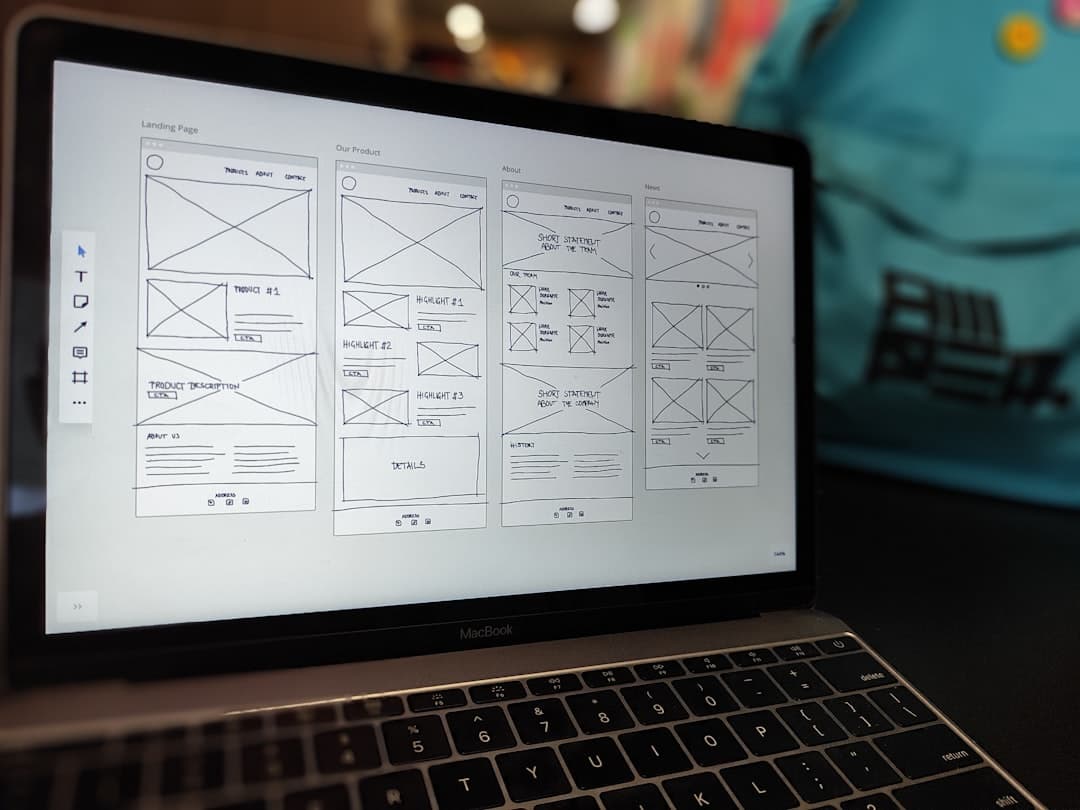
Framer is a design-first website builder that combines a visual editor with production-grade publishing, letting teams create fast, interactive, SEO-optimized websites without writing code. It is the platform of choice for B2B SaaS companies, healthcare organizations, and agencies that need design-forward sites that actually convert.
If you are evaluating Framer for your next website project or trying to understand what makes it different from other platforms, this guide covers everything: what Framer is, how it works, what you can build with it, and when it makes sense to hire a professional Framer design agency.
What is Framer?
Framer is a website design and publishing platform that merges the creative freedom of design tools like Figma with the functionality of a full website builder. Originally known as a prototyping tool for product designers, Framer evolved into a complete site builder that produces real, live websites — not just mockups.
The platform was created by the team behind Framer Motion, the most widely used React animation library in the JavaScript ecosystem. This heritage shows in every aspect of the product: animations are first-class citizens, interactions feel smooth and natural, and performance is baked into the architecture.
Unlike template-based builders like Squarespace or Wix, Framer gives you a blank canvas with complete design freedom. Unlike developer-heavy platforms like Webflow, Framer’s editor feels intuitive to designers and non-technical team members. It occupies a unique position in the market: professional-grade output with an accessible creative workflow.
Why Businesses Choose Framer for Website Design
The shift toward Framer is driven by tangible business outcomes, not just design aesthetics. Here are the reasons businesses — particularly B2B SaaS, healthcare, and non-profit organizations — are choosing Framer over legacy platforms.
Speed to Market
Framer sites ship fast. A landing page can go from concept to live in under a week. A full multi-page marketing site typically takes two to four weeks. Compare this to WordPress custom builds (8-12 weeks) or traditional agency projects (3-6 months), and the competitive advantage becomes clear.
For startups racing to validate positioning, SaaS companies launching features, and healthcare organizations opening new locations, speed is not a luxury — it is a requirement.
Design Quality Without Custom Development
Framer bridges the gap between design tools and production websites. Designers work in an environment that feels like Figma — drag, drop, arrange, style — and the result is a live website, not a static mockup that needs to be handed off to a developer for implementation.
This eliminates the “design-to-development handoff” problem that plagues traditional web projects, where designs lose fidelity during implementation. In Framer, what you design is exactly what goes live.
Lower Total Cost of Ownership
Traditional website projects involve separate design, development, and maintenance phases — each with its own cost. Framer collapses these into a single workflow. Hosting starts at $5/month. There are no plugins to maintain, no security patches to apply, and no server infrastructure to manage.
For a typical B2B marketing site, the total cost of ownership over three years on Framer is a fraction of what WordPress or a custom build would cost. Check our pricing page for project-level cost details.
Performance by Default
Framer sites are fast out of the box. The platform automatically handles image optimization, code splitting, lazy loading, and CDN distribution. Most Framer sites achieve LCP (Largest Contentful Paint) under 2.5 seconds and pass all Core Web Vitals assessments without manual optimization.
For SaaS companies and healthcare organizations where site speed directly impacts conversion rates and search rankings, this default performance is a significant advantage.
Framer Design Capabilities
Understanding what you can build in Framer starts with understanding its design tools.
Visual Editor
Framer’s editor uses a free-form canvas similar to Figma or Sketch. Elements are placed by direct manipulation, not by configuring CSS classes. You can drag frames, text, images, and components anywhere on the canvas and style them with visual controls for colors, spacing, typography, borders, shadows, and effects.
The editor supports layers, grouping, auto-layout (similar to Flexbox), and constraints for responsive behavior. Designers who know Figma will feel at home within minutes.
Typography and Color
Framer supports custom fonts (Google Fonts, Adobe Fonts, or uploaded font files), variable fonts, and typographic controls for line height, letter spacing, text transform, and font features. Color management includes solid colors, gradients, and transparency — with project-level color styles for consistency.
Layout System
Framer uses a layout system based on frames with auto-layout. Frames can stack horizontally or vertically, wrap content, and respond to different screen sizes. The system is intuitive for designers while producing the same responsive behavior that developers achieve with CSS Flexbox and Grid.
Columns, grids, and spacing are configurable per breakpoint, giving you precise control over how your layout adapts from desktop to tablet to mobile.
Components and Design Systems
Framer’s component system is one of its strongest features for teams building and maintaining websites at scale.
Reusable Components
Any element or group of elements can be converted into a reusable component. Components support variants (different visual states), properties (customizable text, colors, visibility), and nesting. Update a component once, and every instance across your site updates automatically.
This is particularly valuable for SaaS websites with recurring UI patterns — navigation bars, feature cards, pricing tables, testimonial blocks, and CTAs that appear on multiple pages.
Variants and States
Component variants let you create different visual states — hover, active, disabled, light/dark mode — within a single component. This keeps your design system organized and ensures consistency across the site.
Design Tokens
Framer supports project-level design tokens for colors, typography, spacing, and effects. This means your brand identity is defined once and applied everywhere. When you update your primary brand color, every element using that token updates instantly.
Framer CMS
Content management is a critical capability for business websites. Framer’s built-in CMS handles the content needs of most B2B marketing sites effectively.
Collections
CMS collections in Framer let you define structured content types — blog posts, team members, case studies, testimonials, job listings — with custom fields for text, images, dates, booleans, links, colors, and references to other collections.
Dynamic Pages
Each CMS collection can generate dynamic pages based on a template you design. Add a new blog post to the collection, and Framer automatically creates a new page with your template’s layout, styling, and navigation. This is the foundation for blogs, portfolios, and any repeating content structure.
Content Editing
Non-technical team members can add and edit CMS content through Framer’s editor without touching the design. The editing experience is straightforward: open the CMS panel, fill in the fields, and publish. This is especially important for marketing teams that need to publish content without waiting for designers or developers.
CMS Limitations
Framer’s CMS is well-suited for sites with under 200 content items per collection. For larger content operations — 500+ blog posts, complex relational data, multi-author editorial workflows — pairing Framer with a headless CMS like WordPress is a proven approach. We use this exact setup for our clients with heavy content needs.
Interactions and Animations
Animations are where Framer genuinely excels beyond any competitor.
Scroll-Based Animations
Elements can animate based on scroll position — fading in, sliding up, scaling, rotating, or changing color as the user scrolls through the page. These animations are configurable through a visual panel with controls for timing, easing, delay, and triggers.
Page Transitions
Framer supports smooth transitions between pages, creating a native-app-like experience. Elements can animate out of one page and into another, maintaining visual continuity across navigation.
Hover and Click Interactions
Interactive states — hover effects, click feedback, expand/collapse, tab switching — are built directly into the component system. Buttons that scale on hover, cards that flip on click, menus that slide in from the side — all achievable without code.
Spring Physics
Framer uses spring-based animation curves (inherited from Framer Motion) that produce more natural, organic movement compared to traditional cubic-bezier timing. This subtle difference contributes to the premium feel that distinguishes Framer sites from template-builder output.
Performance Considerations
Framer’s animations are GPU-accelerated, using CSS transforms and opacity changes that do not trigger layout reflows. This means animations maintain 60fps even on mobile devices — a critical factor for sites targeting audiences in healthcare and other industries where mobile traffic dominates.
Responsive Design in Framer
Every Framer website needs to work across desktop, tablet, and mobile. Framer handles responsive design through breakpoints and layout controls.
Breakpoints
Framer provides default breakpoints for desktop (1200px+), tablet (810px), and mobile (390px), and you can add custom breakpoints as needed. Each breakpoint lets you adjust layout, typography, spacing, and visibility independently.
Auto-Layout Responsiveness
Frames with auto-layout automatically respond to content changes and screen sizes. A horizontal layout can wrap to vertical on smaller screens. Spacing can adjust proportionally. Elements can reorder, hide, or transform at each breakpoint.
Mobile-First or Desktop-First
Framer supports both approaches. Most designers work desktop-first (designing the largest layout, then adapting downward), but mobile-first workflows are equally viable. For B2B sites where desktop traffic is significant, desktop-first typically makes sense. For consumer-facing or healthcare sites with heavy mobile traffic, mobile-first is advisable.
SEO in Framer
Search engine optimization is not optional for business websites. Framer supports the technical SEO fundamentals that search engines require.
Technical SEO Features
- Meta titles and descriptions: Configurable per page and per CMS item
- Open Graph tags: Automatic OG images and metadata for social sharing
- Sitemap: Auto-generated XML sitemap
- Robots.txt: Configurable crawl directives
- Canonical URLs: Configurable to prevent duplicate content
- Custom code injection: Add schema markup, analytics, and tracking via head/body code
- 301 redirects: URL redirect management for migrations
- Clean URLs: Human-readable, keyword-friendly URLs
Performance as an SEO Factor
Google’s page experience signals include Core Web Vitals, which measure loading speed, visual stability, and interactivity. Framer sites consistently score well on these metrics without manual optimization, giving them a natural advantage in competitive SERPs.
Content SEO
Framer’s CMS supports proper heading hierarchy (H1-H6), alt text for images, internal linking, and structured content that search engines can parse. For businesses investing in content marketing, the CMS provides enough SEO control for effective on-page optimization.
AEO and AI Search
Answer Engine Optimization (AEO) is becoming increasingly important as AI-powered search engines like Google’s AI Overviews, ChatGPT search, and Perplexity gain market share. Framer’s clean HTML output, fast load times, and structured content make it well-positioned for AI search indexing.
Performance Optimization
Beyond the default performance advantages, there are strategies to push Framer site performance even further.
Image Optimization
Framer automatically converts images to modern formats (WebP, AVIF) and serves appropriately sized images based on the viewport. For maximum performance, upload high-resolution source images and let Framer handle the optimization. Avoid uploading pre-compressed images that limit Framer’s ability to serve optimal sizes.
Font Loading
Use system fonts or Google Fonts (which Framer optimizes automatically) when possible. If using custom fonts, limit the number of weights and styles to reduce font file downloads. Two weights (regular and bold) cover most design needs.
Animation Performance
Stick to animating transform and opacity properties, which are GPU-accelerated. Avoid animating properties that trigger layout recalculation (width, height, margin, padding) for smooth 60fps performance.
Third-Party Scripts
Analytics tools, chat widgets, and tracking scripts can degrade performance. Load non-critical scripts asynchronously and defer scripts that are not needed for initial page render. Framer’s custom code injection supports async and defer attributes.
What You Can Build in Framer
Framer is versatile enough for a wide range of website types:
- SaaS marketing websites — homepage, features, pricing, blog, changelog
- Landing pages — campaign pages, product launches, event registrations
- Corporate websites — professional multi-page sites with team directories and service pages
- Portfolio sites — design agencies, photographers, creative professionals
- Healthcare websites — clinic sites, provider directories, patient resources
- Non-profit websites — donation pages, impact stories, program overviews
- Personal websites — developer portfolios, personal brands, CV sites
- Microsites — product launches, campaigns, event pages
Framer is not ideal for transactional e-commerce (use Shopify), complex web applications (use Next.js or similar), or content-heavy publications with thousands of articles (use a dedicated CMS).
Framer Integrations
Framer integrates with the tools businesses already use:
- Analytics: Google Analytics 4, Google Tag Manager, Plausible, Fathom
- Forms: Tally, Typeform, Cal.com, Calendly, HubSpot
- CRM: HubSpot, Salesforce (via Zapier or custom code)
- Email: Mailchimp, ConvertKit, Beehiiv
- Payments: Stripe, Lemon Squeezy (via embeds or custom code)
- Chat: Intercom, Crisp, Drift
- Custom code: Any JavaScript library or API via code components
For integrations that require server-side logic, Framer’s custom code components can connect to any external API, giving you flexibility beyond what the platform natively supports.
When to Hire a Framer Design Agency
Framer is accessible enough for individuals to build their own sites. But there are clear situations where hiring a professional Framer agency delivers significantly better results.
You Need Conversion Optimization
Building a website that looks good is different from building one that converts. A professional agency brings experience with user flows, CTA placement, social proof patterns, and copy hierarchy that turn visitors into leads, demos, or customers. For SaaS companies where conversion rate directly impacts revenue, this expertise pays for itself.
You Need Speed
An experienced agency can deliver a complete Framer website in one to three weeks. The learning curve for Framer — while shorter than Webflow or WordPress — still takes time for first-time users. If you need to launch quickly for a funding round, product launch, or competitive response, hiring experts saves weeks of trial and error.
You Need Design That Differentiates
Template-level design does not differentiate your brand. A professional Framer agency creates custom designs — unique layouts, branded animations, bespoke component systems — that make your site feel distinct and premium.
You Need SEO Built In
Technical SEO, schema markup, site architecture, and content strategy need to be considered from day one. An agency that understands SEO builds these elements into the site structure, rather than bolting them on after launch. We build every site with SEO and AEO optimization as a foundational layer.
You Need Ongoing Iteration
Websites are not “set and forget” assets. Landing pages need A/B testing. Blog content needs publishing. New features need new pages. A retainer relationship with a Framer agency ensures your site evolves alongside your business. See our retainer plans for ongoing support options.
Framer vs Other Platforms
How does Framer stack up against the alternatives?
- Framer vs Webflow: Framer wins on design quality, animations, and speed. Webflow wins on complex CMS and e-commerce.
- Framer vs WordPress: Framer wins on performance, security, and maintenance-free hosting. WordPress wins on plugin ecosystem and editorial workflows for large publications.
- Framer vs Squarespace: Framer wins on design freedom, animations, and performance. Squarespace wins on simplicity for non-technical users who want a basic site.
- Framer vs Wix: Framer wins on every professional metric — design quality, performance, SEO, and code output. Wix is only suitable for hobby projects.
Getting Started with Framer Website Design
Whether you are building your first Framer site or evaluating the platform for a major project, the path forward depends on your goals, timeline, and team capabilities.
For businesses that want to move fast and get the best possible result, working with a specialized Framer design agency is the most efficient path. You get professional design, conversion optimization, SEO, and a site that launches in weeks rather than months.
For individuals and small teams learning Framer, start with a single landing page. Master the editor, understand components, and get comfortable with responsive design before tackling a full multi-page site.
Frequently Asked Questions
Is Framer good for business websites?
Yes. Framer is used by thousands of businesses for marketing websites, landing pages, and brand sites. Its performance, design quality, and SEO capabilities make it particularly well-suited for B2B SaaS, healthcare, fintech, and professional services companies that need their website to drive real business results.
How much does a Framer website cost?
A professional Framer website project typically costs between $3,000 and $15,000 depending on scope, number of pages, and design complexity. Landing pages start at $3,000, full marketing sites start at $5,000, and enterprise-scale projects with extensive CMS, integrations, and custom features can reach $15,000 or more. See our pricing page for detailed breakdowns.
Can Framer replace WordPress?
For marketing websites and landing pages, yes. Framer produces faster, more secure, lower-maintenance sites than WordPress. For content-heavy sites with 500+ articles, complex editorial workflows, or specific plugin dependencies, WordPress (or WordPress as a headless CMS paired with Framer) remains the better choice.
How long does it take to build a Framer website?
A single landing page can be designed and launched in 5-7 business days. A full multi-page marketing website typically takes 2-4 weeks. Complex sites with extensive CMS, custom integrations, and multiple stakeholder review rounds may take 4-6 weeks.
Is Framer SEO-friendly?
Yes. Framer supports all critical SEO requirements: custom meta tags, Open Graph, sitemaps, robots.txt, canonical URLs, schema markup via custom code, clean URL structure, and fast page load times. Its performance advantage gives Framer sites a natural edge on Core Web Vitals, which Google uses as a ranking signal.
Ready to build a high-converting Framer website? We are a specialized Framer design agency serving B2B SaaS, healthcare, and non-profit organizations. Whether you need a landing page, a full SaaS marketing site, or a complete website redesign, we deliver fast, polished, SEO-optimized results. Get in touch to discuss your project.