Framer is the better choice for businesses that need fast, design-forward, animation-rich websites with strong performance. Webflow is better suited for complex e-commerce stores and large-scale CMS-driven sites. For most B2B marketing websites, Framer delivers faster timelines, better Core Web Vitals, and a more intuitive design experience.
Choosing a website platform is one of the most consequential decisions a growing business makes. The platform you pick determines how fast you can ship, how well your site performs, and how much ongoing maintenance you need to worry about. Two platforms dominate the modern no-code/low-code website space: Framer and Webflow.
Both are capable tools, but they serve different needs. This guide breaks down every meaningful difference so you can make an informed decision based on your business goals, not marketing hype.
Platform Overview
What is Framer?
Framer is a design-first website builder created by the team behind Framer Motion, the most widely used React animation library. It combines a visual editor that feels like Figma with production-grade publishing. Sites built in Framer are fast, responsive, and animation-rich by default.
Framer has gained rapid adoption among startups, SaaS companies, and design agencies since launching its site builder. Its strength lies in making high-quality interactive websites accessible without writing code.
What is Webflow?
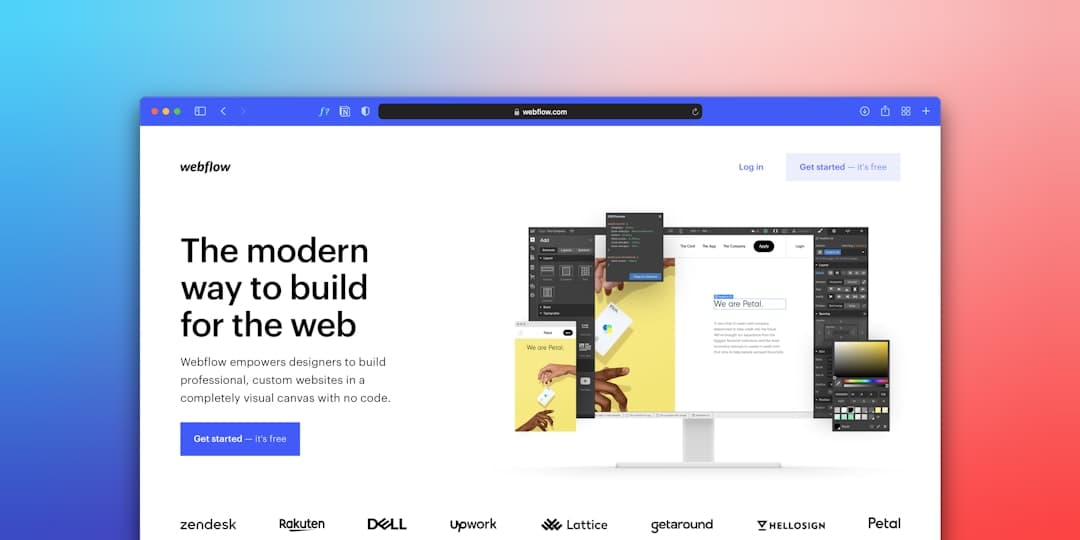
Webflow is a visual development platform that bridges design and code. It generates clean, standards-compliant HTML and CSS, and offers robust CMS and e-commerce functionality. Webflow has been around longer than Framer’s site builder and has an established track record with enterprise clients.
Webflow’s class-based styling system mirrors how CSS actually works, which gives developers fine-grained control but creates a steeper learning curve for non-technical users.
Design Capabilities
Design is where the two platforms diverge most dramatically.
Framer uses a free-form canvas where elements can be placed anywhere and styled with direct manipulation. The experience mirrors design tools like Figma, which means designers can work in Framer without retraining. Components, variants, and design tokens make it easy to build and maintain design systems.
Webflow uses a class-based approach that closely follows CSS conventions. While this produces cleaner code, it requires designers to think in terms of box models, flexbox, and grid — concepts that are second nature to developers but foreign to most designers.
For teams that prioritize design quality and creative freedom, Framer has a clear advantage. The gap is especially visible in portfolio sites, agency websites, and product marketing pages where visual storytelling matters. If your team includes designers who work in Figma, Framer’s SaaS website workflow will feel immediately familiar.
Animations and Interactions
This is not a close contest. Framer was literally built by animation experts.
Framer offers scroll-based animations, page transitions, hover states, spring physics, and micro-interactions — all configurable without code. The animations are GPU-accelerated and maintain 60fps across devices. Complex interaction sequences that would require custom JavaScript elsewhere are achievable through Framer’s visual interaction panel.
Webflow has animation capabilities through its Interactions panel, but they are more limited and less fluid. Complex animations often require workarounds, and the learning curve for Webflow’s interaction system is steeper than Framer’s.
If animations and interactivity are important to your brand, Framer is the platform to choose. This is especially relevant for SaaS companies building product marketing sites with interactive demos and feature showcases.
Performance and Core Web Vitals
Page speed directly impacts conversion rates and search rankings. Google’s Core Web Vitals — Largest Contentful Paint (LCP), Cumulative Layout Shift (CLS), and Interaction to Next Paint (INP) — are ranking factors that reward fast, stable pages.
Framer sites consistently score well on Core Web Vitals out of the box. Framer’s hosting infrastructure uses a global CDN with automatic image optimization, code splitting, and preloading. Most Framer sites achieve LCP under 2.5 seconds without manual optimization.
Webflow can achieve strong performance, but it requires more deliberate optimization. Complex pages with many interactions, custom fonts, and large images can degrade performance quickly. Webflow’s hosting is capable but generally slower than Framer’s CDN on benchmarks.
For businesses where page speed is a competitive advantage — particularly B2B SaaS and healthcare organizations where trust and conversions hinge on first impressions — Framer’s performance edge matters.
SEO Capabilities
Both platforms support the fundamentals of technical SEO, but with different strengths.
Framer supports custom meta titles and descriptions, Open Graph tags, automatic sitemaps, canonical URLs, robots.txt configuration, and custom code injection for schema markup. Its performance advantage translates directly to better Core Web Vitals scores, which Google uses as a ranking signal.
Webflow offers all of the same SEO features plus slightly more granular CMS-level SEO controls. Webflow’s automatic sitemap generation handles large CMS collections well, and its 301 redirect manager is more mature than Framer’s.
In practice, both platforms produce sites that rank well. The SEO difference comes down to content strategy, not platform capabilities. However, Framer’s performance advantage gives it a slight edge in competitive SERPs where Core Web Vitals are the tiebreaker.
CMS and Content Management
Content management is one area where Webflow holds a legitimate advantage.
Webflow’s CMS supports complex filtering, reference fields, multi-reference relationships, conditional visibility, and dynamic collections with up to 10,000 items per collection. For content-heavy sites with complex taxonomies — product catalogs, resource libraries, multi-author blogs — Webflow’s CMS is powerful and flexible.
Framer’s CMS has improved significantly but remains simpler. It handles blogs, team directories, case studies, and project portfolios well. For most B2B marketing sites with under 200 pieces of content, Framer’s CMS is more than sufficient. For larger content operations, pairing Framer with a headless CMS like WordPress is a proven approach.
If your site requires a complex content architecture with thousands of CMS items and relational data, Webflow has the edge. For standard marketing sites, landing pages, and portfolio-style content, Framer’s CMS handles the job well. For our own blog, we use Framer for the site and WordPress as a headless CMS — the best of both worlds.
Pricing Comparison
Platform costs add up over time. Here is how Framer and Webflow compare on hosting and plans.
- Framer Free Plan: 1 site with Framer subdomain, limited features
- Framer Mini: $5/month — custom domain, basic analytics
- Framer Basic: $15/month — CMS, custom code, password protection
- Framer Pro: $30/month — advanced CMS, multiple editors, staging
- Webflow Starter: Free — limited pages, Webflow subdomain
- Webflow Basic: $14/month — custom domain, no CMS
- Webflow CMS: $23/month — CMS collections, up to 2,000 items
- Webflow Business: $39/month — advanced CMS, form submissions
For a typical B2B marketing site with CMS, Framer costs $15-30/month versus Webflow’s $23-39/month. The savings compound over time, and Framer’s included features at each tier are generally more generous. See our pricing page for details on what a complete Framer project costs including design and development.
Learning Curve
Framer is easier to learn for designers. Its interface mirrors Figma, and the visual editor uses direct manipulation rather than class-based styling. Most designers are productive in Framer within a day or two.
Webflow is easier to learn for developers. Its class-based styling and box model approach map directly to CSS concepts. However, this creates a barrier for team members without web development knowledge. Marketing managers and content editors often struggle with Webflow’s editor.
For cross-functional teams where marketers need to update content independently, Framer’s lower barrier to entry is a meaningful advantage. This is particularly relevant for SaaS companies where marketing teams need to ship landing pages quickly without developer bottlenecks.
E-Commerce
Webflow wins on e-commerce. Period.
Webflow has native e-commerce with product management, checkout flows, inventory tracking, and shipping calculations. It is a viable platform for small to medium e-commerce stores.
Framer does not have native e-commerce. You can integrate payment tools via custom code or embed Stripe, Shopify Buy buttons, or Lemon Squeezy, but Framer is not built for transactional commerce.
If your primary goal is selling products online, Webflow or Shopify are better choices. If your primary goal is a marketing website that drives leads, demos, or signups — with e-commerce as a secondary concern — Framer is the stronger platform.
Collaboration and Workflow
Framer offers real-time multiplayer collaboration — multiple team members can work on the same site simultaneously, similar to Figma. This dramatically speeds up design reviews and team workflows.
Webflow supports team workspaces and role-based permissions, but true real-time collaboration is more limited. Content editors work independently from designers, which can create versioning friction.
For teams that value collaborative, Figma-style workflows, Framer’s multiplayer editor is a significant productivity advantage.
When to Choose Framer
Framer is the better choice when:
- You want a design-forward marketing website that stands out
- Animations, interactions, and visual polish are priorities
- Your team includes designers who work in Figma
- You need fast turnaround — days or weeks, not months
- Core Web Vitals and page performance matter for your business
- You are a SaaS company, healthcare organization, or non-profit that needs to convert visitors
- Budget efficiency matters and you want lower hosting costs
When to Choose Webflow
Webflow is the better choice when:
- You need native e-commerce with product management and checkout
- Your site requires a complex CMS with relational data and thousands of items
- Your team has web development experience and prefers class-based styling
- You need Webflow’s specific integrations or template ecosystem
- You are building a content-heavy publication with editorial workflows
The Verdict
For most B2B companies — especially those in SaaS, healthcare, and non-profit — Framer is the better platform. It produces faster sites, more polished designs, and better user experiences with less effort and lower costs.
Webflow is a strong platform with legitimate advantages in CMS complexity and e-commerce. If your business needs those specific capabilities, Webflow is worth serious consideration. But for marketing websites, landing pages, and brand sites where design and performance drive conversions, Framer consistently delivers superior results.
We build exclusively in Framer because it aligns with what our clients need: fast, beautiful, high-converting websites that perform well in search and leave a lasting impression. Read our detailed Framer vs Webflow comparison page for a side-by-side feature breakdown.
Frequently Asked Questions
Is Framer better than Webflow for SEO?
Both platforms support strong technical SEO with meta tags, sitemaps, Open Graph, and schema markup. Framer has a slight edge because its sites tend to load faster, which improves Core Web Vitals — a Google ranking factor. For most businesses, the SEO difference between platforms is negligible compared to content quality and link building.
Can I migrate my existing Webflow site to Framer?
Yes. Migrating from Webflow to Framer involves rebuilding the design in Framer, migrating CMS content, and setting up 301 redirects to preserve SEO rankings. We handle Webflow-to-Framer migrations regularly and have a proven process to ensure zero ranking loss during the transition.
Which is cheaper long-term, Framer or Webflow?
Framer is typically cheaper. Hosting starts at $5/month compared to Webflow’s $14/month for a custom domain. When you add CMS functionality, Framer’s Pro plan at $30/month compares favorably to Webflow’s Business plan at $39/month. The total cost of ownership is lower on Framer for most marketing sites. Visit our pricing page for full project cost details.
Is Framer or Webflow better for animations?
Framer is significantly better for animations. It was built by the team behind Framer Motion, the most popular React animation library, so animations are a core capability. Scroll-triggered effects, page transitions, hover interactions, and spring physics are all achievable without code. Webflow’s animation tools are functional but less fluid and harder to configure.
Do professional agencies use Framer or Webflow?
Both. However, design-focused agencies are increasingly moving to Framer for its design quality and animation capabilities. Agencies that specialize in complex CMS builds or e-commerce tend to stay on Webflow. As a specialized Framer agency, we chose Framer because it lets us deliver higher-quality sites in shorter timelines for our B2B clients.
Ready to build your website in Framer? We are a specialized Framer design agency serving B2B SaaS, healthcare, and non-profit organizations. Get in touch to discuss your project and get a quote.