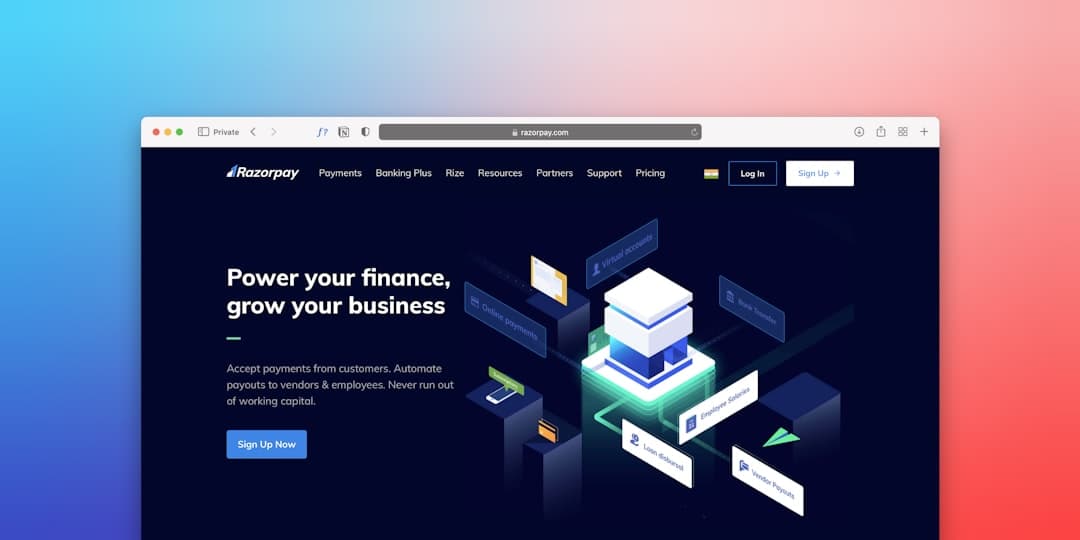
Fintech website design balances trust signals, regulatory compliance, and conversion engineering. Effective fintech sites foreground security messaging (SOC 2, PCI DSS, encryption), back claims with specific customer logos and ROI numbers, and ship product demos that convert technical evaluators. Speed, accessibility, and clarity beat ornate design every time.
Why Fintech Is a Distinct Web Design Discipline
Fintech buyers are skeptical by training. Whether they are a CFO evaluating a treasury platform, a compliance officer reviewing a KYC vendor, or a consumer deciding to wire a paycheck through a neobank, the question is the same: can I trust this with my money? A fintech website’s core job is to convert that skepticism into willingness to take a next step.
That changes design decisions across the board. Photography is functional, not aspirational. Hero copy specifies a measurable outcome, not a vibe. Trust badges, customer logos, and security pages are foregrounded rather than buried. Demo videos show actual UI rather than abstract animations. The aesthetic that wins in fintech (clean, considered, slightly conservative) reads as competent rather than flashy.
Five Design Principles for Fintech Sites
1. Trust Comes First, Even Above Brand
The first scroll should answer “are these people serious?” Pile credible signals: SOC 2 Type II badge, PCI DSS, GDPR/CCPA notes, named customer logos, $X transactions processed per year, named investors. Five strong, specific signals beat ten generic ones.
2. Specificity Over Vague Claims
“Powering the next generation of finance” is dead copy. “Process $1.2B in cross-border payments daily across 38 countries” is alive copy. Numbers, geographies, and customer names earn trust. Vague benefit claims do not.
3. Plain English for Complex Products
Fintech products are often technical. Resist the temptation to write at the level of your engineering team. Pretend the reader is a smart person with a finance degree, not a fellow engineer. Define jargon. Use diagrams. Show the workflow.
4. Speed and Accessibility as Trust Signals
A slow, broken-on-mobile fintech site signals operational sloppiness. Sub-2-second load times, WCAG 2.2 AA accessibility, and stable performance under load are part of the trust story. Read our Core Web Vitals guide for thresholds.
5. Clear Conversion Architecture
B2B fintech sells through demos and enterprise sales. Consumer fintech sells through sign-up flows. Pick a primary path and remove friction from it. Multiple competing CTAs in the hero kill conversion.
Must-Have Pages on a Fintech Website
- Homepage: clear positioning in the first 8 seconds, customer logos, primary CTA, and security trust bar.
- Product or Solutions pages: one per ICP or use case, with workflow diagrams and screenshots.
- Pricing: transparent tiers for SMB and self-serve products, “talk to sales” for enterprise.
- Security and Compliance: SOC 2 status, PCI DSS, encryption details, data handling, certifications, audit reports on request.
- Customer stories: 4 to 8 case studies with specific outcomes and quotes from named buyers.
- Resources: blog, whitepapers, regulatory guides, calculators.
- About: leadership, investors, mission, history.
- Careers: signals scale and momentum.
- Legal: terms, privacy, cookie policy, regulatory disclosures.
- Contact and demo request: low-friction qualified-lead capture.
Conversion Patterns That Work in Fintech
Demo Request as Primary CTA
For B2B fintech, “Get a Demo” outperforms “Start Free Trial” for products with implementation complexity. Demo forms convert at 1 to 3 percent on warm traffic and feed enterprise sales pipelines. Use a short qualifying form (name, work email, company size, use case).
Self-Serve Sign-Up for SMB Products
For products with low implementation friction (Stripe, Plaid Link, simple payment widgets), self-serve sign-up beats demo gates. Embed the product into the marketing site where possible.
Calculator and ROI Tools as Lead Magnets
“How much could you save?” calculators capture qualified leads at 2 to 5x the rate of generic content. Treasury platforms, expense management, and lending products all use this pattern.
Security Page That Sells, Not Just Informs
The security page is a conversion page, not a compliance dump. Lead with the customer-relevant outcome (“Your data is encrypted at rest and in transit”), then provide the technical proof. Stripe, Plaid, and Modern Treasury all do this well.
Customer Logo Wall With Tier Hierarchy
Logo walls are stronger when arranged in a hierarchy: enterprise logos first, then mid-market, then SMB. Mixing them flattens the perception of customer quality.
Live Pricing With Transparency
Hidden pricing erodes trust in fintech faster than in any other category. Public, transparent pricing for self-serve tiers and clear “starting at” anchors for enterprise outperform “Contact us for pricing” by 30 to 50 percent.
Examples to Study
- Stripe for the gold standard of developer-led fintech UX.
- Plaid for clear B2B fintech positioning and security-as-marketing.
- Modern Treasury for B2B treasury platform clarity.
- Mercury for consumer-style design applied to startup banking.
- Brex for credit card and treasury positioning.
- Ramp for ROI-led messaging on expense management.
- Wise for cross-border payments transparency.
- Public for retail investing trust signals.
Common Pitfalls in Fintech Web Design
- Vague hero copy: “The future of finance, simplified.” Means nothing. Replace with measurable outcomes and customer specifics.
- Stock photography of skyscrapers and handshakes: signals laziness. Use product UI screenshots, customer photography, and clean illustrations.
- Burying compliance certifications: SOC 2, PCI DSS, ISO 27001 are differentiators. Foreground them.
- “Contact for pricing” without anchors: at minimum, give buyers a starting price range or a “from $X per month” anchor.
- Ignoring accessibility: regulators and litigants pay attention. WCAG 2.2 AA is the floor.
- Over-animation: scroll-jacked landing pages feel slick at first and exhaust evaluators by the third scroll.
- Slow demo flows: a “Book a Demo” form that takes 60 seconds to load loses 40 percent of potential leads.
- Generic case studies: a case study without specific dollar figures or percentage changes is forgettable.
- Missing regulatory disclosures: brokerage, lending, and payments products need state and federal disclosures. Have counsel review.
- Slow first paint: see our Core Web Vitals guide.
SEO and Content for Fintech
Most fintech buyers search for solutions to specific pain points: “best treasury management software,” “international wire alternative,” “expense management for startups.” Content sits at the top of the funnel and feeds qualified demos.
Build a content library structured around three pillars: (1) buyer-stage content like comparison guides and category overviews, (2) technical content like API docs and architecture posts that earn engineering trust, and (3) regulatory and educational content that builds authority. Combine with a strong B2B website foundation. See our B2B website design guide and SaaS website design guide for patterns that translate.
Recommended Platforms
Framer
Framer is increasingly the default choice for fintech marketing sites in 2026. The visual editor produces fast, accessible, modern sites without compromising design ceiling. Engineering teams can wire in custom code where needed. CMS handles blog, customer stories, and resources. See framerwebsites.com for build conversations.
Webflow
Webflow remains popular for fintech sites with deep CMS needs and agency-led builds. Slightly more setup overhead than Framer; slightly more customization headroom.
Next.js or Custom Build
Many fintech leaders (Stripe, Plaid, Mercury, Ramp) run custom Next.js or React-based sites for full control over performance, design, and engineering culture. Justified when the marketing site is a primary differentiator and the team has the engineering capacity.
WordPress
Less common for new fintech builds. Heavier maintenance overhead. Worth keeping if you have a deep existing WordPress investment with developer support.
DIY vs Hiring an Agency
Early-Stage (DIY or Freelancer)
Pre-Series A fintechs can ship a credible site on Framer with a freelancer for $5,000 to $15,000. Lean copy, real product screenshots, basic case studies. Plan to redesign within 18 to 24 months as you find product-market fit.
Growth-Stage (Specialist Agency)
Series A through C fintechs typically work with B2B SaaS-focused design agencies. Expect $40,000 to $150,000 for a brand-led rebuild. Read our guide to choosing a B2B website design agency.
Enterprise (In-House Team or Top Agency)
Late-stage fintechs often build internal design and engineering teams. Marketing sites become product-grade artifacts. Expect $250,000 to $1M+ for full rebuilds.
Frequently Asked Questions
What is the most important page on a fintech website?
For B2B fintech, the homepage and primary product page tied for first, with the security/compliance page close behind. For consumer fintech, the sign-up flow and pricing page lead. Demo and case study pages typically convert the warmest traffic.
Do fintech sites need a dedicated security page?
Yes. Even SMB-focused fintechs lose enterprise deals without a clear, linkable security page. Include certifications, encryption details, data handling practices, audit reports on request, and a security contact. Stripe, Plaid, and Modern Treasury all do this well.
How much does a fintech website redesign cost?
Early-stage (DIY/freelancer) builds run $5,000 to $15,000. Growth-stage agency builds run $40,000 to $150,000. Enterprise rebuilds run $250,000 to $1M+. Most Series A through C fintechs land in the $50,000 to $120,000 range.
Should fintechs use Framer or custom Next.js?
Framer is the right choice for most fintechs through Series B. Custom Next.js makes sense at scale (Series C+ with 10+ engineers, marketing site as a primary differentiator) or when you have unusual integration or performance needs.
How long should a fintech website redesign take?
Early-stage builds run 6 to 10 weeks. Mid-market agency builds run 3 to 5 months. Enterprise rebuilds run 6 to 12 months when brand work, content production, and engineering integrations are in scope.